
An editorial comparison of the main coding-agent workflows covered in this guide.
The AI coding-agent market moves faster than most comparison posts admit. Six months ago, a “Cursor vs Windsurf vs Copilot” shortlist still looked reasonable. By mid-2026, it was no longer enough.
The change is not only model quality. Terminal-native agents are now capable enough that many engineers no longer treat the IDE as the only place serious work happens. At the same time, open tools and vendor-built agents have given buyers more than one way to work: an IDE, a terminal, a configurable client, or a remote task runner.
This is an editorial comparison of the best AI coding agents in 2026. It considers product documentation, public adoption signals, independent comparisons, and the workflow each tool is built around. It is not a benchmark, and popularity alone is not a quality score.
The practical difference is the working environment. A terminal agent, an AI IDE, a configurable open client, and a model-native agent can all write code, but they ask for different habits and produce different review loops.
If you want to move from this comparison to a concrete product page, start with Mengbi's Cursor AI IDE profile and then browse the full AI tools directory. For the adjacent meeting workflow, see our 2026 AI meeting assistants comparison.
How this list was selected
The core list covers the tools most often considered for distinct jobs: Claude Code and Codex for terminal-led repository work, Cursor for an IDE-first workflow, OpenCode and Pi for open and configurable setups, Amp for longer-running agent work, and Copilot for a broad GitHub-centered rollout. Trae, Qoder, and Kimi Code are included because model access, language, and purchasing constraints can matter as much as raw capability.
Cline remains a capable open BYOK client with a large installed base. It is a sensible option for people who value visible approvals and direct control of model spending. For a short open-tool trial list, though, OpenCode and Pi offer a clearer contrast: one is broader and more productised; the other is deliberately minimal.
Kimi needs a clean distinction. Interest in Kimi models is broader than awareness of Kimi Code as a separate coding product. This guide covers Kimi Code / Kimi Code CLI as the product path to evaluate when you want those models in an agent workflow.
Trae, Qoder, and Kimi Code deserve a place in a first round of trials when model routing, language defaults, regional availability, or procurement fit affect the decision. English-language discussion is only one signal, and often an incomplete one.
Quick picks by job
| If you need... | Start here | Why |
|---|---|---|
| Best everyday AI IDE | Cursor | Smoothest multi-file shipping surface for many product teams |
| Best terminal-native depth | Claude Code | Strong long-session reasoning and repo work |
| Best OpenAI-native agent path | OpenAI Codex | CLI + cloud + IDE family; often near the top of 2026 agent benches |
| Open, provider-flexible agent | OpenCode | Multi-surface workflow with a choice of model providers |
| Long-running agent work | Amp | Built for supervised, agent-led jobs |
| Minimal open client | Pi | Small core with packages and extensions instead of a sealed product |
| Lowest-friction enterprise entry | GitHub Copilot | Free tier, GitHub distribution, familiar rollout |
| Model-native coding agent path | Kimi Code | Moonshot models plus official terminal/IDE agent surfaces |
| Editor-first AI IDE alternative | Trae | AI IDE from ByteDance with an editor-centred workflow |
| Multi-surface agent platform | Qoder | Broader IDE/CLI/cloud agent story |
What counts as an AI coding agent
An AI coding agent should do more than autocomplete. The useful bar in 2026 looks like this:
It can hold repository context. It can edit across files. It can use tools such as shell, search, tests, or browser actions. It can keep going after the first failure instead of stopping at a polite wrong answer.
That definition includes terminal agents, AI IDEs with agent modes, open clients, and some cloud agents. It excludes pure chat playgrounds and one-shot snippet generators. A strong coding model alone is also not enough. The product has to fit the way you work.
Interface and day-to-day workflow
UI note: product screenshots below come from official product, documentation, or marketing pages. Where a vendor has limited public stills, the guide describes the working environment in text.
Before product-by-product notes, it helps to compare the actual work surface. This is usually more useful than feature checklists.
| Tool | Main work surface | Interface | What a 30-minute session usually feels like | Best fit |
|---|---|---|---|---|
| Claude Code | Terminal transcript, diffs, shell output | Terminal agent | You give a messy repo task, it investigates, edits, runs commands, asks when stuck | Strong on multi-file repair and long supervised work |
| OpenAI Codex | CLI stream, cloud task view, or IDE agent panel depending on surface | Agent family: CLI / IDE / cloud | Feels closest to Claude Code in CLI; cloud surface is more “dispatch and review” | Strong when your org already lives on OpenAI plans |
| Cursor | Full IDE, inline edits, chat/agent side panel | AI IDE with agent mode | You stay in files, accept diffs, jump between chat and code | Best for everyday product shipping without leaving the editor |
| OpenCode | Terminal UI first, plus IDE/desktop options | Open multi-surface agent | More configurable than vendor agents; setup quality affects the result | Developers who want model and provider choice |
| Amp | Agent workspace with long-run monitoring and remote execution | Agent-first product | Less autocomplete assistant, more delegated task runner | Longer jobs that still need supervision |
| Pi | Thin terminal core with packages and skills around it | Minimal open client | You assemble more of the workflow yourself | Developers who value ownership and customization |
| GitHub Copilot | Familiar IDE + GitHub surfaces | Broadly deployed assistant with agent features | Fastest rollout, more uneven depth on hard multi-step jobs | Useful for wide organisation rollouts |
| Kimi Code | Terminal and IDE agent surfaces tied to Kimi models | Model-native coding product | Useful when model preference and workflow point to the same vendor | Teams already considering Kimi models |
| Trae | Full AI IDE | Cursor-class AI IDE | Day-to-day editing, multi-file changes, local product work | Strong product-shape fit for teams that want an IDE first |
| Qoder | IDE plus CLI and cloud agent entry points | Multi-surface agent platform | Broader than a single editor; more product surface to evaluate | Better when you want one vendor across personal coding and longer tasks |
Comparison snapshot
Prices and packaging change often. Use this as a decision map, then re-check the official page before you buy.
| Tool | Why it belongs in this comparison | Best for | Form | Cost model | Main compromise |
|---|---|---|---|---|---|
| Claude Code | A terminal-native agent with broad repository-work coverage | Deep terminal engineering | Terminal agent | Claude subscription / usage | Less IDE-first for some teams |
| OpenAI Codex | A coding-agent family spanning CLI, IDE, and cloud | OpenAI-native agent loops | CLI / IDE / cloud | ChatGPT plans and API usage | You need to choose the right surface |
| Cursor | An editor-first workflow for multi-file product work | Daily product shipping | AI IDE + agents | Seat plans from free/hobby upward | Team seat cost scales quickly |
| OpenCode | A configurable option with model-provider choice | Open agent workflows | Terminal / IDE / desktop | Free client + model access | Setup still matters |
| Amp | A product designed around delegated, longer-running work | Longer agent-led jobs | Web / terminal / remote | Subscription-oriented | Requires more workflow change |
| Pi | A minimal client that you extend yourself | Customisable CLI workflows | Terminal client | Free client + model keys | You assemble more of the workflow |
| GitHub Copilot | A familiar rollout path across IDE and GitHub surfaces | GitHub-centred organisations | IDE + GitHub | Free + low Pro entry | Not always the deepest agent |
| Kimi Code | A coding product tied to Kimi models | Model-native agent path | Terminal / IDE | Kimi Code plans / API | Product awareness varies by market |
| Trae | An editor-first alternative for AI IDE teams | Cursor-like IDE work | AI IDE | Free/paid varies by market | Ecosystem and compliance fit matter |
| Qoder | A broader IDE, CLI, and cloud-agent offering | Multi-surface agent coding | IDE / CLI / cloud | Plan-based | More product surface to evaluate |
Product-by-product: interface and workflow
Claude Code
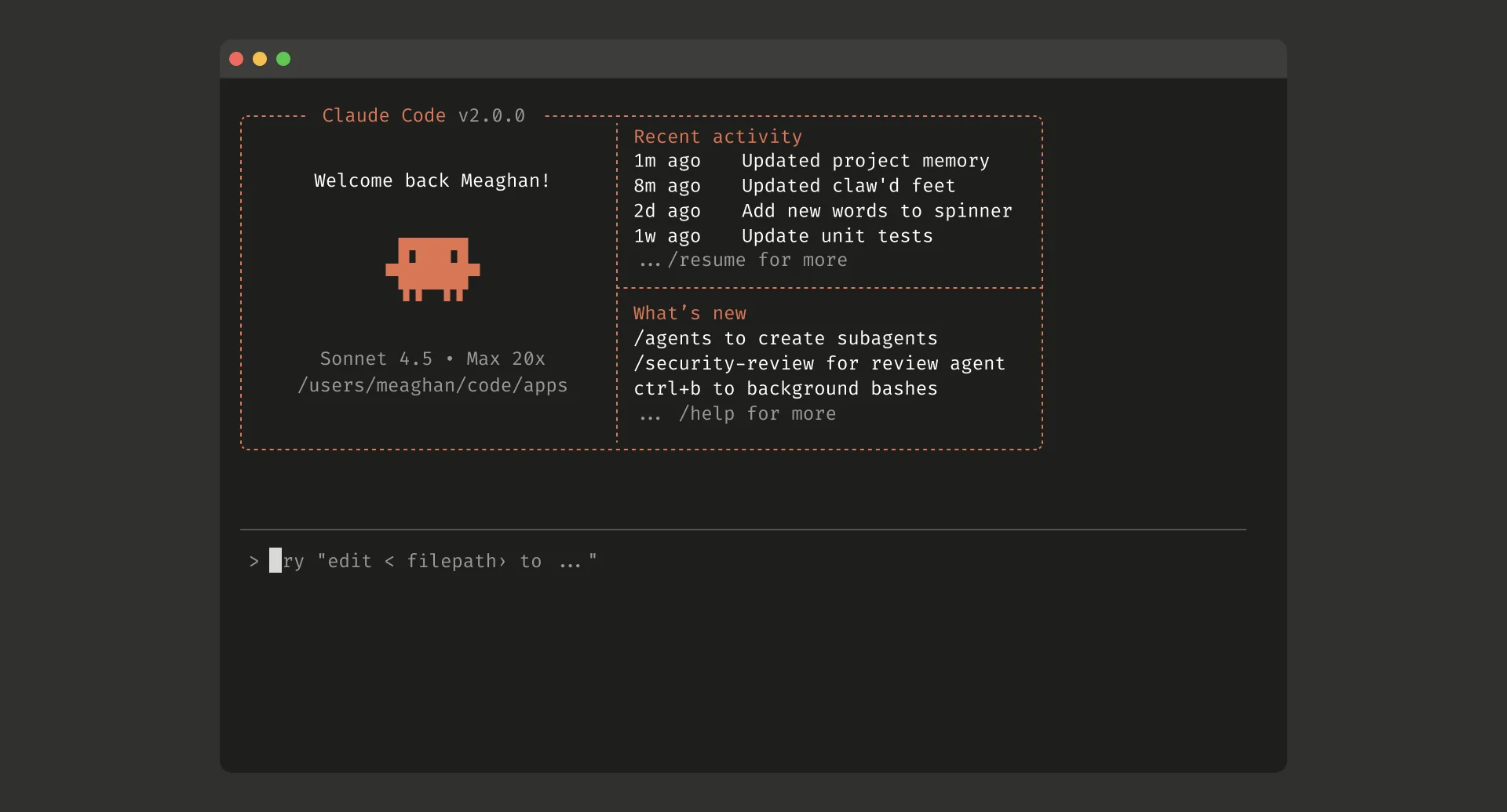 Claude Code interface: terminal transcript, tool calls, and repo edits in one stream.
Interface. Claude Code lives in the terminal. The main screen combines conversation, tool calls, file edits, command output, and approval prompts. It does not try to imitate a full IDE, and that is deliberate.
In daily use. Give it a broken subsystem, a failing test suite, or a multi-file feature that needs investigation first. It is most useful when the job is messy: read the repository, form a plan, edit, run, recover, and continue. The benefit is not better autocomplete; it is less manual coordination of routine shell work.
Best for. Supervised depth, longer sessions, and engineers who already work in the terminal.
Consider something else if. Your team wants one shared GUI workflow, or strongly prefers reviewing work in visual editor panes.
OpenAI Codex
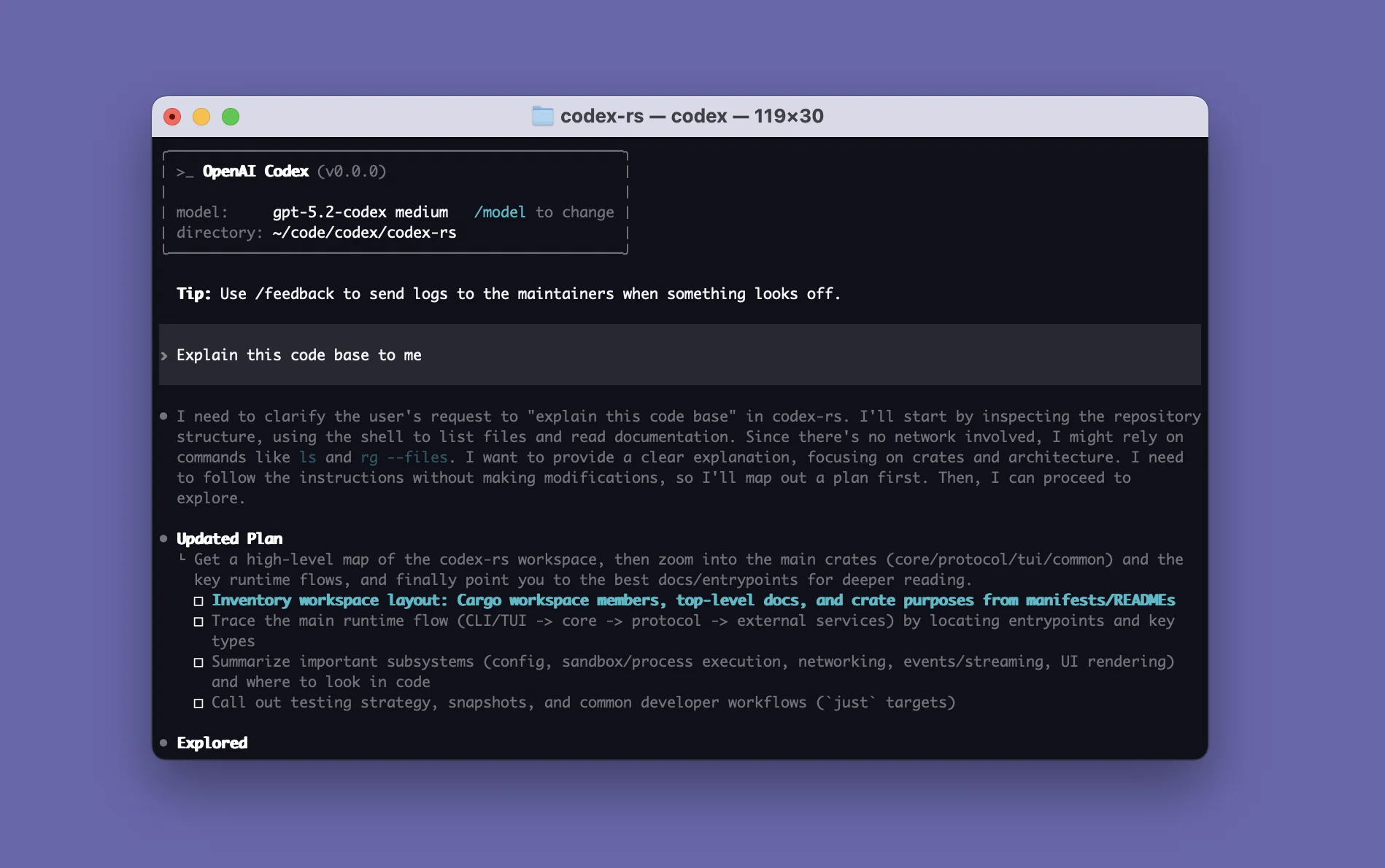 OpenAI Codex CLI surface: terminal-native agenting inside the OpenAI product family.
Interface. Codex is a family rather than a single product surface. The CLI behaves like a terminal agent; cloud tasks are closer to dispatch and review; IDE surfaces sit nearer to in-editor agent panels. A useful comparison with Claude Code starts by naming the surface.
In daily use. On OpenAI-native stacks, Codex can reduce integration work because chat, models, and coding surfaces sit in the same ecosystem. In CLI mode, judge it as you would Claude Code: can it investigate, edit, and recover on a real repository task? In cloud mode, ask whether the task view gives you enough confidence to review outcomes rather than follow every step.
Best for. OpenAI-heavy organisations and teams that want one vendor across chat plans, APIs, and coding agents.
Consider something else if. You want one tightly defined product experience; the breadth of the family can feel fragmented.
Cursor
 Cursor interface: full IDE in the center, agent/chat side flow for multi-file edits.
Interface. Cursor remains an IDE first. Code stays at the centre, with chat and agent mode beside the files. Inline edits, multi-file diffs, and familiar tabs matter more here than a pure agent transcript. For many product engineers, that keeps context switching low.
In daily use. A typical session is simple: open a feature branch, request a multi-file change, accept or reject diffs, run tests locally, and keep moving. The upside is speed inside familiar editor habits. The risk is equally familiar: weak review turns into faster mediocre code.
Best for. Day-to-day product work, teams that live in files rather than shells, and short feedback loops.
Consider something else if. Your work is dominated by terminal-heavy investigation, or the team-wide seat cost does not fit the budget.
OpenCode
 OpenCode product visual from the official site. The real work surface is terminal-first, with IDE/desktop options around it.
Interface. OpenCode puts the terminal at the centre, with IDE and desktop options around it. Compared with vendor-built agents, it exposes more of the system: providers, models, and configuration. The result depends more directly on the choices you make.
In daily use. It can feel like a strong terminal agent without tying you to one model vendor. When it disappoints, the cause is often setup: the wrong model, thin context, or an expectation of Cursor-level onboarding. Developers who like control tend to appreciate it; teams that need a polished first hour may not.
Best for. Developers who want provider choice without giving up an agent-led terminal workflow.
Consider something else if. You want zero setup or procurement-simple packaging.
Amp
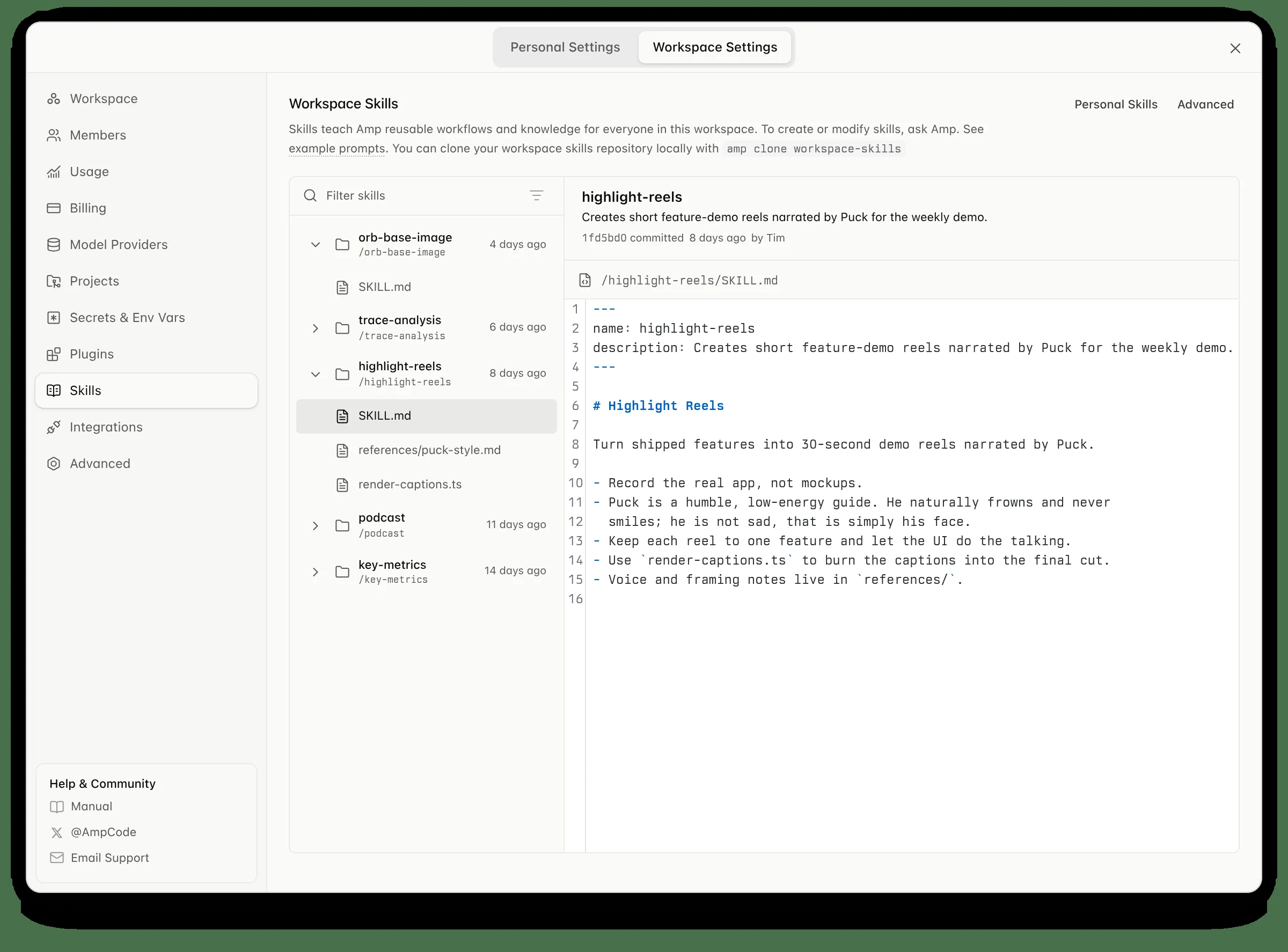 Amp product surface: more agent workspace than classic editor chrome.
Interface. Amp is agent-first. It emphasises longer runs, remote execution, and work that is delegated rather than typed out inline. If Cursor is an IDE with agents built in, Amp is closer to an agent product built around code.
In daily use. The useful question is not whether it can autocomplete a function. It is whether you can hand it a longer job and get useful progress back. Teams that like Amp are usually prepared to change their process; teams looking for a quieter assistant may prefer an IDE-first tool.
Best for. Longer tasks and users willing to adapt their workflow around an agent.
Consider something else if. You need familiar IDE-first comfort or the lowest-change rollout.
Pi
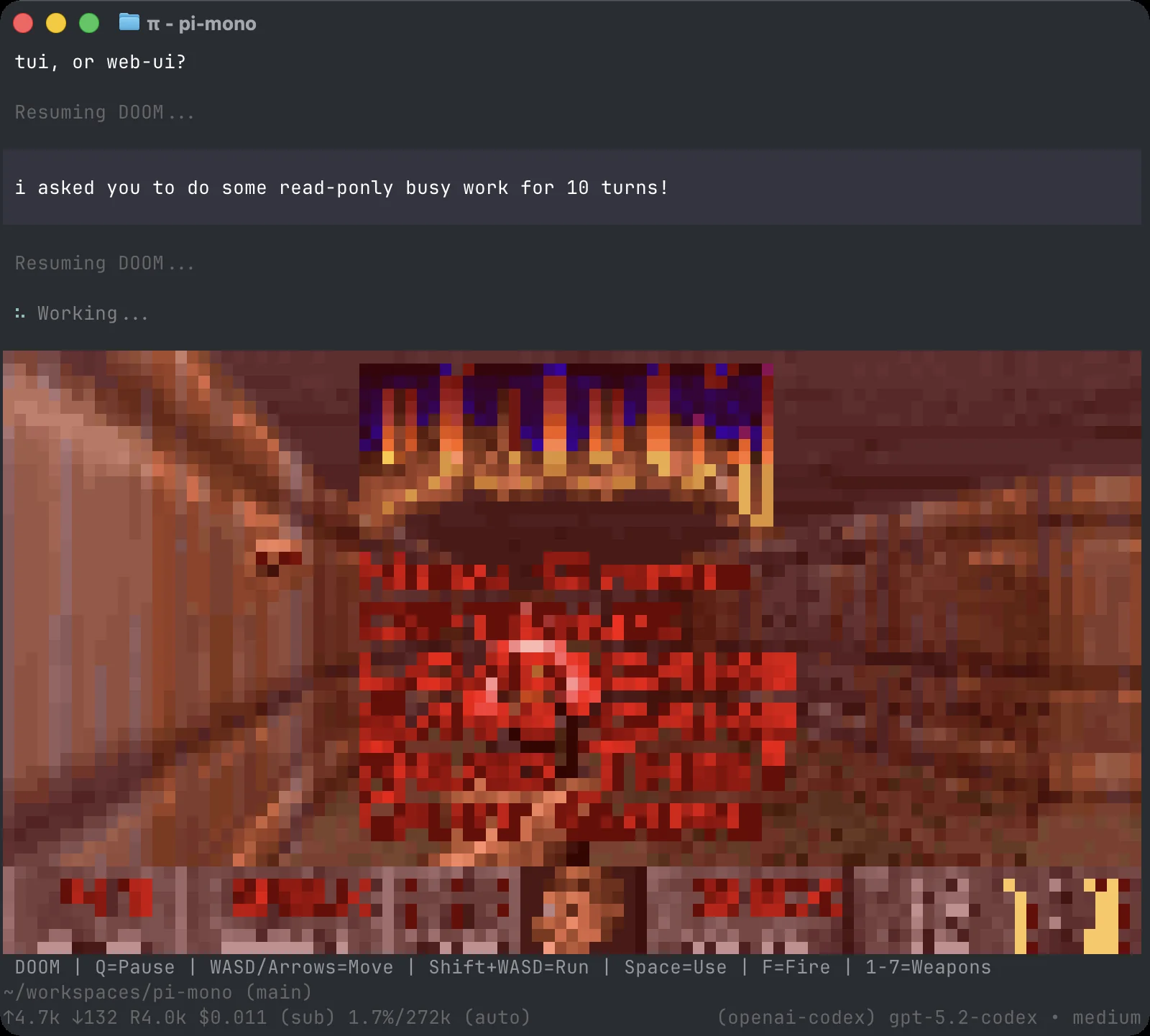 Pi leans into a thin core plus packages/extensions instead of a sealed all-in-one IDE.
Interface. Pi is intentionally thin. Its terminal core is shaped by packages, skills, extensions, and prompt templates. Where OpenCode can feel like a complete open product, Pi feels more like a set of primitives you control.
In daily use. Pi can feel sparse at first if you expect a complete product out of the box. It becomes much more appealing once you have shaped it around your repository, tools, and habits. It rewards people who enjoy ownership and frustrates people who want strong defaults.
Best for. Customisation, minimalism, and ownership of the agent setup.
Consider something else if. Onboarding speed, shared team defaults, or simple procurement matter most.
GitHub Copilot
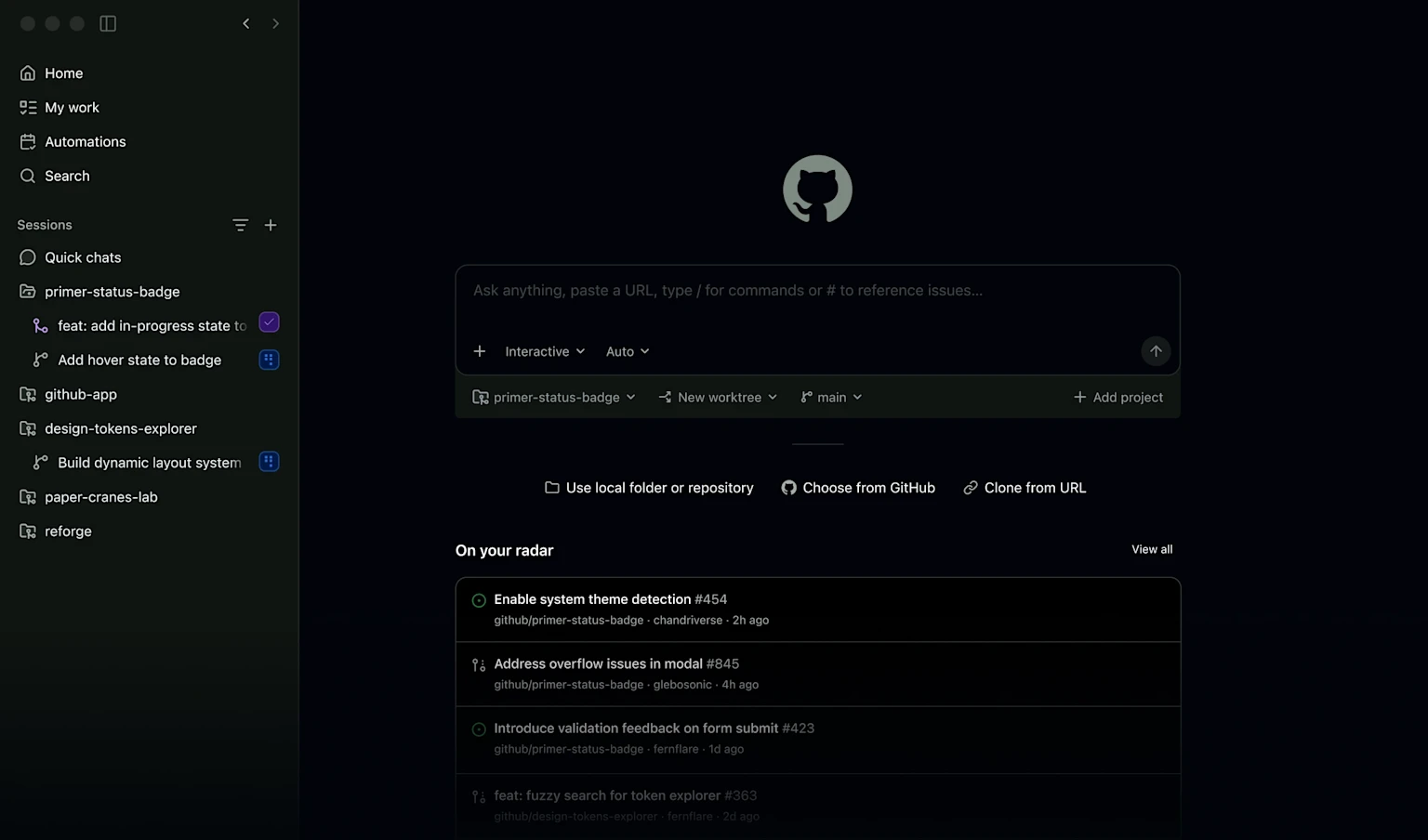 GitHub Copilot interface: stays close to IDE and GitHub surfaces most developers already use.
Interface. Copilot stays close to the surfaces developers already use: IDE completion, chat and agent features, and GitHub-native workflows. Its advantage is familiarity and distribution, not a radically new interface.
In daily use. It is easy to adopt, and organisation-wide rollout is simpler than for most tools here. Teams often get useful speed from completion, pull-request help, and medium-complexity tasks. For the hardest multi-step jobs, power users may still keep a second tool available.
Best for. Enterprise defaults, GitHub-centred companies, and low-friction rollout.
Consider something else if. Your priority is a deeply autonomous agent for long, complex tasks.
Kimi Code
Public product stills for Kimi Code are thinner than the big IDE vendors. The useful comparison is still the work surface: terminal/IDE coding-agent path on top of Kimi models, not a screenshot-first AI IDE marketing page.
Interface. Keep the distinction clear. Kimi Code is the coding-agent product: terminal and IDE surfaces tied to Moonshot’s model stack. A discussion of Kimi's coding ability may be referring to the model, the product, or both.
In daily use. Evaluate model quality, access stability, and the agent loop together: can the product handle repository work rather than simply discuss code? Kimi Code is most relevant when model preference, local availability, and agent workflow all point to the same vendor. If your main interest is an open, configurable client, OpenCode and Pi are closer comparisons.
Best for. Teams that already prefer Kimi models and want a matching coding workflow.
Consider something else if. You need a globally standardised default with the broadest ecosystem support.
Trae
Trae has fewer public product stills than some AI IDE competitors. The key point is its editor-first workflow: files stay central, with assistance around the coding loop.
Interface. Trae invites an IDE-to-IDE comparison with Cursor. Files remain central, with AI assistance around the coding loop rather than a pure terminal transcript.
In daily use. If your team wants multi-file product development inside an IDE and is considering a ByteDance product, Trae belongs in an initial evaluation. The comparison with Cursor is less about an abstract score and more about language defaults, model routing, compliance requirements, and familiar editor habits.
Best for. Teams evaluating AI IDEs that want an editor-first alternative to Cursor.
Consider something else if. You need a terminal-native agent for deep repository work.
Qoder
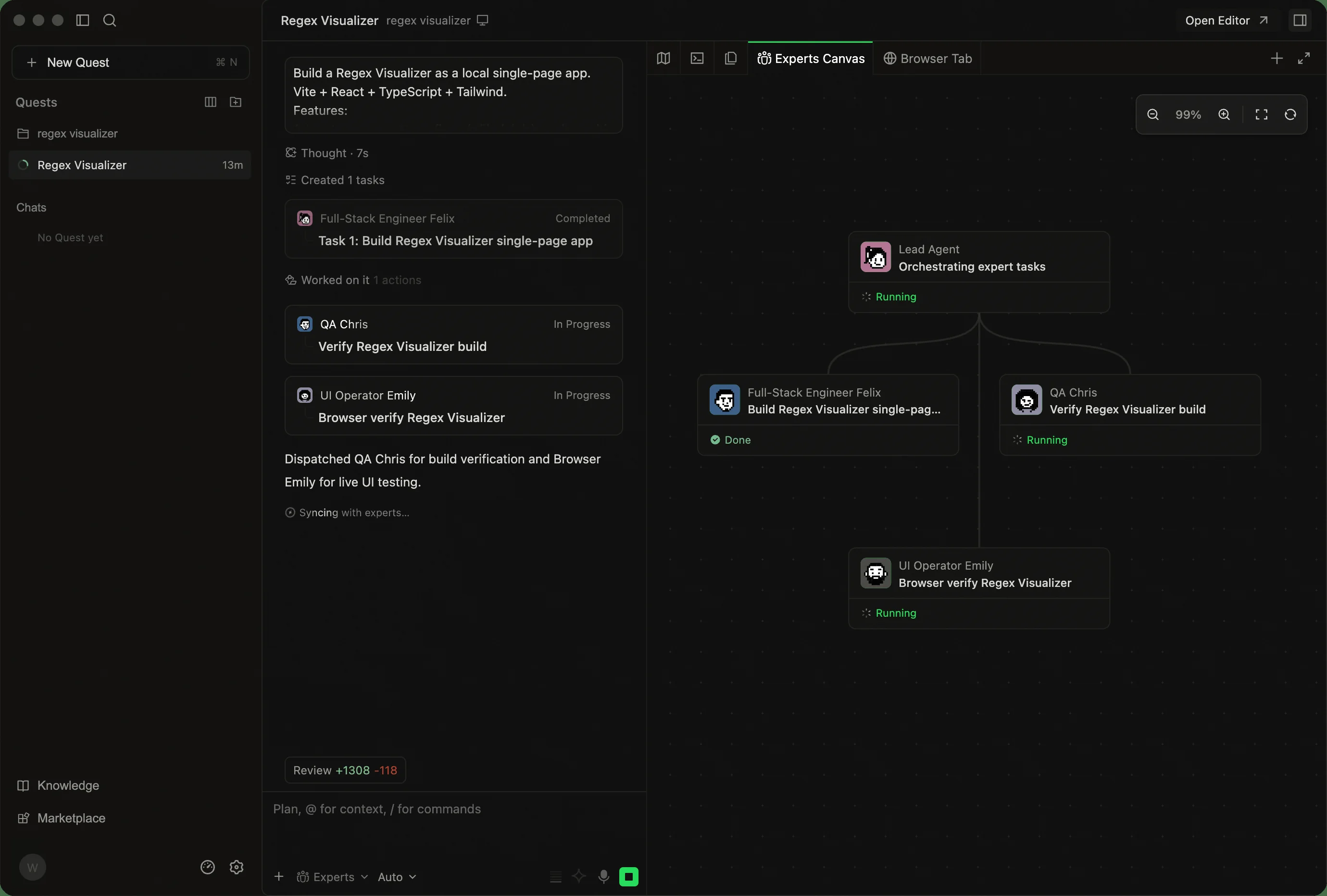 Qoder interface: multi-panel coding workspace with a broader platform story around IDE/CLI/cloud.
Interface. Qoder is more of a platform than a single editor. It spans IDE coding, CLI, and cloud-agent entry points, so the evaluation is broader than a one-screen comparison.
In daily use. Qoder is worth evaluating if a team wants one vendor for personal coding and longer agent jobs. The key question is whether its broader product range reduces tool sprawl or creates more surface area to learn. Individual developers may still prefer the simpler feel of Cursor or Claude Code; procurement and compliance needs can lead teams elsewhere.
Best for. Teams looking for one platform across IDE, CLI, and cloud-agent work.
Consider something else if. You only want a simple IDE and nothing beyond it.
What about Cline, Windsurf, Aider, and WorkBuddy?
Cline remains a serious option for explicit approvals, IDE and CLI workflows, and BYOK control. Keep it on a broader open-tool trial list if controlling model spend matters to you. In a shorter comparison, it is best presented as a strong alternative rather than the default open choice for every buyer.
Windsurf remains a credible AI IDE. If you are evaluating editor-first products, try it alongside Cursor and Trae. It solves a different problem from terminal-led or highly configurable tools, so an overall ranking does not tell the full story.
Aider remains a focused choice for git-native CLI pair programming. It is more specialised than the broad agents above, which is a benefit if its workflow matches the way you already work.
WorkBuddy is useful in office-agent discussions, but it is not a dedicated coding tool. Treat it as a multi-agent workbench that can work with code, not as a direct Claude Code or OpenCode replacement.
How these tools differ in day-to-day work
If you only remember one practical split, use this:
| Work pattern | Better first bet | Why the result differs |
|---|---|---|
| Ship product UI/features all day | Cursor or Trae | You stay in files, diffs, and short loops |
| Repair a messy subsystem for an hour | Claude Code or Codex CLI | Terminal investigation plus command loops matter more |
| Want control over the open client | OpenCode or Pi | Provider choice and configuration matter more than sealed packaging |
| Want long-running, agent-led work | Amp | The workflow is organised around supervised agent runs |
| Need org-wide rollout tomorrow | GitHub Copilot | Distribution and procurement ease beat pure depth |
| Model-native agent + multi-surface platform | Kimi Code, with Trae/Qoder nearby | Model preference, routing, and platform shape change the shortlist |
Many teams end up using more than one tool: Cursor or Trae for fast local editing, plus Claude Code, Codex, OpenCode, or Kimi Code for longer agent sessions.
Also separate the money models early. Seat subscriptions, usage-limited plans, and BYOK token bills feel completely different after the second invoice.
FAQ
What is the best AI coding agent overall in 2026?
There is no single winner. For IDE-first product work, Cursor. For terminal-native depth, Claude Code. For OpenAI-native agenting, Codex. For an open, configurable workflow, OpenCode.
Is Cline still a strong default shortlist pick?
Only with the right framing. Cline still has real adoption and a legitimate BYOK/open-client story. It is a capable option, but OpenCode and Pi make clearer first comparisons when you want an open, configurable workflow.
What is the difference between Kimi models and Kimi Code?
Kimi models drive much of the coding and agent capability conversation. Kimi Code is the official coding-agent product path you can shortlist and trial. If you already prefer Kimi models, put Kimi Code on the list instead of stopping at model-only talk.
OpenCode vs Windsurf: which should you trial first?
Try OpenCode first if you want a configurable terminal-led agent. Try Windsurf first if you want an AI IDE. They are not interchangeable, so the right answer follows your working environment rather than a single popularity ranking.
How should you choose between Amp and Claude Code?
Pick Claude Code if you want a mature terminal-first workflow. Pick Amp if you want a product built around longer agent runs and are willing to adapt your workflow.
When is Pi the better choice?
Pi fits developers who want a minimal open client and are happy to assemble extensions, skills, and packages. It is less about buying a finished product and more about shaping the setup yourself.
Is GitHub Copilot still worth adopting for teams?
Yes, especially for rollout. Its distribution across GitHub and common IDEs makes it a practical organisation-wide default.
Methodology and sources
How we assessed the shortlist
We assess each tool on four dimensions: workflow fit (where code, context, and review happen), agent depth (multi-file edits, tool use, and recovery), commercial reality (pricing model and plan limits), and public adoption context. This is an editorial comparison, not a controlled benchmark: popularity is a discovery signal, not a quality score. Product and pricing claims are checked against official pages first, and no vendor receives paid placement in the shortlist.
Last reviewed: 20 Aug 2026. Editorial navigation was updated 21 Aug 2026; product and pricing claims retain the source-review date shown here.
The evidence combines official product pages, public adoption signals, independent reporting, and the practical workflow each tool is designed for. Interface and workflow notes describe the product experience rather than lab performance. Re-check live pricing, data handling, and capability claims before buying.
Primary references:
- Claude Code
- Claude Pricing
- OpenAI Codex CLI
- Cursor Pricing
- OpenCode
- Amp
- Pi
- GitHub Copilot
- Cline
- Kimi Code
- Kimi Code CLI on GitHub
- Trae
- Qoder
- Task-stratified AI coding-agent study
- TechRadar's 2026 AI coding-tool comparison
- Public open-agent discovery list
We prioritize official product pages over affiliate listicles. Re-check pricing, data handling, and plan limits before you buy.