
An editorial comparison of meeting-capture workflows in 2026.
The meeting-notes market used to be simple: a bot joins Zoom, you get a transcript later, someone pastes a summary into Slack. In 2026 that story is incomplete.
The important distinction is now capture design. Some assistants still send a bot into the call. Others sit on a laptop or phone and capture audio without joining as a participant. Free tiers have improved, but “unlimited recording” can still come with limits on advanced AI. Teams also care about CRM updates, clip sharing, and Chinese-language defaults, not only raw transcription accuracy.
This is an editorial comparison of the best AI meeting assistants in 2026. It weighs capture model, the destination of notes, plan limits, product documentation, and independent category coverage. It does not claim a single controlled accuracy test: the useful choice depends on how your meetings are run.
How this list is organised
This guide is organised by workflow rather than a single ranking. Fireflies is strongest when notes need to flow into shared search and CRM workflows. Otter is the familiar choice for live transcription. Fathom has a straightforward individual starting point. Granola and Krisp remove the visible meeting bot. tl;dv and Grain are useful when the recording itself, short clips, and review loops matter.
For Chinese meeting workflows, Feishu Minutes and Tingwu belong in the main comparison. If a calendar and documents already live in Feishu, or most calls are in Chinese, that fit can matter more than an English-language ranking.
For concrete product details, compare Mengbi's Fireflies AI profile, Otter meeting agent profile, and Krisp profile, then browse the full AI tools directory.
Quick picks by job
| If you need... | Start here | Why |
|---|---|---|
| Collaboration + CRM/automation depth | Fireflies | Search, AskFred, storage tiers, and automation for shared work |
| Live captions / classic meeting memory | Otter | A familiar live-transcription workflow |
| Best free-forever individual start | Fathom | Recording and summaries on its individual free plan; paid features for teams |
| Bot-free notepad feel | Granola | Captures without a meeting bot; human notes + AI polish |
| Video clips and multi-meeting search | tl;dv | Free forever recording/transcription plus clip-first review |
| Clean audio first, notes second | Krisp | Noise cancellation comes first, with AI notes alongside it |
| Sales/CS coaching clips | Grain | Clip-centric review and team coaching use cases |
| Feishu calendar / Chinese suite workflow | Feishu Minutes | Minutes, todos, and collaboration inside Feishu |
| Chinese transcription / study-work notes | Tingwu | Fast Chinese meeting transcription and summary path |
What counts as an AI meeting assistant
A useful 2026 bar looks like this:
It can capture the meeting without forcing you to type everything. It can turn speech into a searchable transcript or structured notes. It can produce summaries, action items, or clips you can hand to someone who missed the call. The better ones also chat across meetings, push tasks into other tools, or update CRM fields.
That includes bot joiners, bot-free device capture tools, video clip libraries, and suite-native minutes products. It excludes plain voice memos with no summary layer, and it excludes “AI that only rewrites notes you already typed by hand” unless capture is also part of the product.
Interface and day-to-day workflow
Visual note: product images below come from official marketing/product pages. Some sites are JS-heavy, so we keep the strongest official visuals and explain the real work surface in text.
Before the brand-by-brand section, look at the work surface. That usually matters more than a feature checklist.
| Tool | Main work surface | Capture model | In day-to-day use | Best fit |
|---|---|---|---|---|
| Fireflies | Transcript library, search, AskFred, integrations | Usually bot joins the call | Meetings become a searchable archive with automation hooks | Best when notes must travel into CRM/team tools |
| Otter | Live transcript pane, playback, chat across meetings | Bot / meeting agent + live captions feel | Strong during the call, familiar archive after | Best for live follow-along and classic notetaker habits |
| Fathom | Call list, instant summaries, clips/playlists | Bot capture; bot-free beta also marketed | Recording is simple to start; teams pay for deeper collaboration and CRM | Best individual starting point |
| Granola | Personal notepad beside the call | Bot-free device capture | Feels like enhanced notes, not a third participant | Best when meeting etiquette matters |
| tl;dv | Video timeline, clips, AI notes | Bot/recorder across Zoom/Meet/Teams | Review becomes “jump to the moment,” not reread a wall of text | Best clip-first teams |
| Krisp | Desktop audio controls + notes | Bot-free install path | Meetings sound cleaner first; notes are the second win | Best when noise is the daily pain |
| Grain | Clip library / coaching views | Meeting recorder + AI notes | Deal reviews and coaching get shorter | Best sales/CS enablement angle |
| Feishu Minutes | Minutes page inside Feishu | Suite-native meeting capture | Notes, comments, and todos stay where work already is | Best Feishu-centered teams |
| Tingwu | Transcription + chapter/todo summary UI | Upload or live recording path | Chinese meetings become skimmable faster | Best Chinese-first transcription/summary needs |
Comparison snapshot
Pricing moves. Use this to narrow the shortlist, then re-check the official pricing page before you pay.
| Tool | Why it belongs in this comparison | Best for | Capture | Cost model to verify | Main trade-off |
|---|---|---|---|---|---|
| Fireflies | Shared search, AI queries, and CRM integrations | Team search + CRM workflows | Bot-first | Free with storage/AI-credit limits; Pro from about $10/seat/mo annual | Advanced AI and storage remain gated |
| Otter | Live captions and a familiar meeting archive | Live transcription | Live + archive | Free ~300 mins/mo; Pro from about $8.49/user/mo annual | Easy to outgrow free minutes |
| Fathom | Individual plan with recording and summaries | Individuals who want a free starting point | Bot / bot-free beta | Free individual plan; team from about $15–19/user/mo annual | Team and CRM features are paid |
| Granola | Personal, bot-free note-taking workflow | People who avoid meeting bots | Bot-free | Free with limited history; Business $14/user/mo | History and advanced models are paid |
| tl;dv | Video recordings, clips, and multi-platform capture | Clip review + recording | Multi-platform recorder | Free recording/transcription; Pro about $18/seat/mo annual | AI-note features differ by plan |
| Krisp | Audio quality plus bot-free notes | Noisy calls | Bot-free | Trial/paid Meeting Assistant plans | Verify the current plan selector |
| Grain | Team review and coaching workflows | Coaching clips | Recorder + AI notes | Free trial tier; paid around common $19/seat messaging | More specialist than generalist |
| Feishu Minutes | Meeting notes inside the Feishu suite | Chinese suite workflows | Suite-native | Feishu plan / trial path | Weak fit outside Feishu |
| Tingwu | Speech-to-text, chapters, and summaries in Chinese | Chinese meetings and study notes | Live/upload | Free trial / Alibaba path | English-language coverage is limited |
Four questions to ask before you choose
| Question | Why it changes the decision |
|---|---|
| Does a bot join the call? | A visible bot can affect meeting etiquette, while device capture depends on the person recording. |
| Where should the notes end up? | A transcript page, CRM, shared clip library, and suite-native document lead to different tools. |
| Do people need live captions? | Live follow-along is a different job from reviewing a short summary after the call. |
| What is actually free? | Recording, transcription, storage, AI queries, and team sharing can have separate limits. |
Fireflies
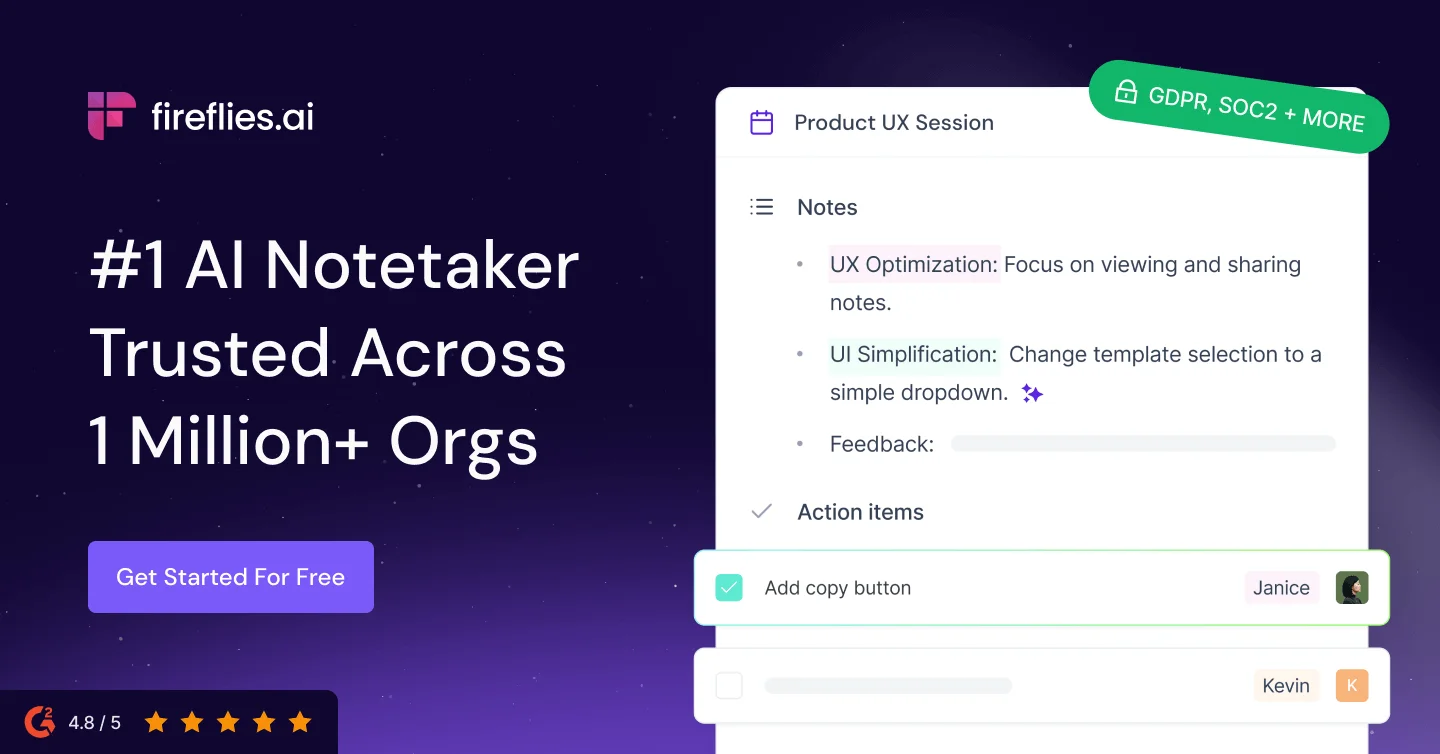 Official Fireflies product visual: transcript-centric meeting assistant with search and AI summary surfaces.
Fireflies still feels like the “team operating system for meetings” option. The product promise is not only a transcript. It is storage, search, AskFred, action items, and enough integration surface that notes can leave the transcript page and enter the rest of the stack.
How the interface feels. You are usually looking at a meeting library, not a blank notepad. After the call, the useful motion is search and ask, not replaying the whole hour. That is why Fireflies keeps showing up in collaboration and CRM conversations.
Free-tier reality. Official pricing currently advertises Free with unlimited transcription and AI summaries, but storage and AI credits are capped. Pro moves storage up substantially at about $10 per seat per month on annual billing. If a vendor page says “unlimited,” read the storage and credit lines anyway.
In daily use. Fireflies rewards teams that actually reopen old meetings. If nobody searches yesterday's call, an archive is not doing much work for you.
Otter
 Official Otter visual for its live-transcription and meeting-agent interface.
Otter is still the default mental model for a lot of people: live transcript while the meeting runs, then an archive you can replay and chat with later. That familiarity is a feature. Teams adopt tools they already understand.
How the interface feels. During the call, Otter is about following along. After the call, it is about playback, speaker-aware notes, and asking questions across meetings. It feels closer to a meeting memory app than a CRM cockpit.
Free-tier reality. Basic still looks useful for light use, with live transcription and a few hundred monthly minutes. Pro raises recording minutes and unlocks more advanced workflows around the high-single-digit to low-double-digit monthly seat range on annual billing. Minute caps are the first wall most people hit.
In daily use. Otter is strongest when someone in the meeting actively uses the live transcript. If a team only wants a summary tomorrow, other tools may fit better.
Fathom
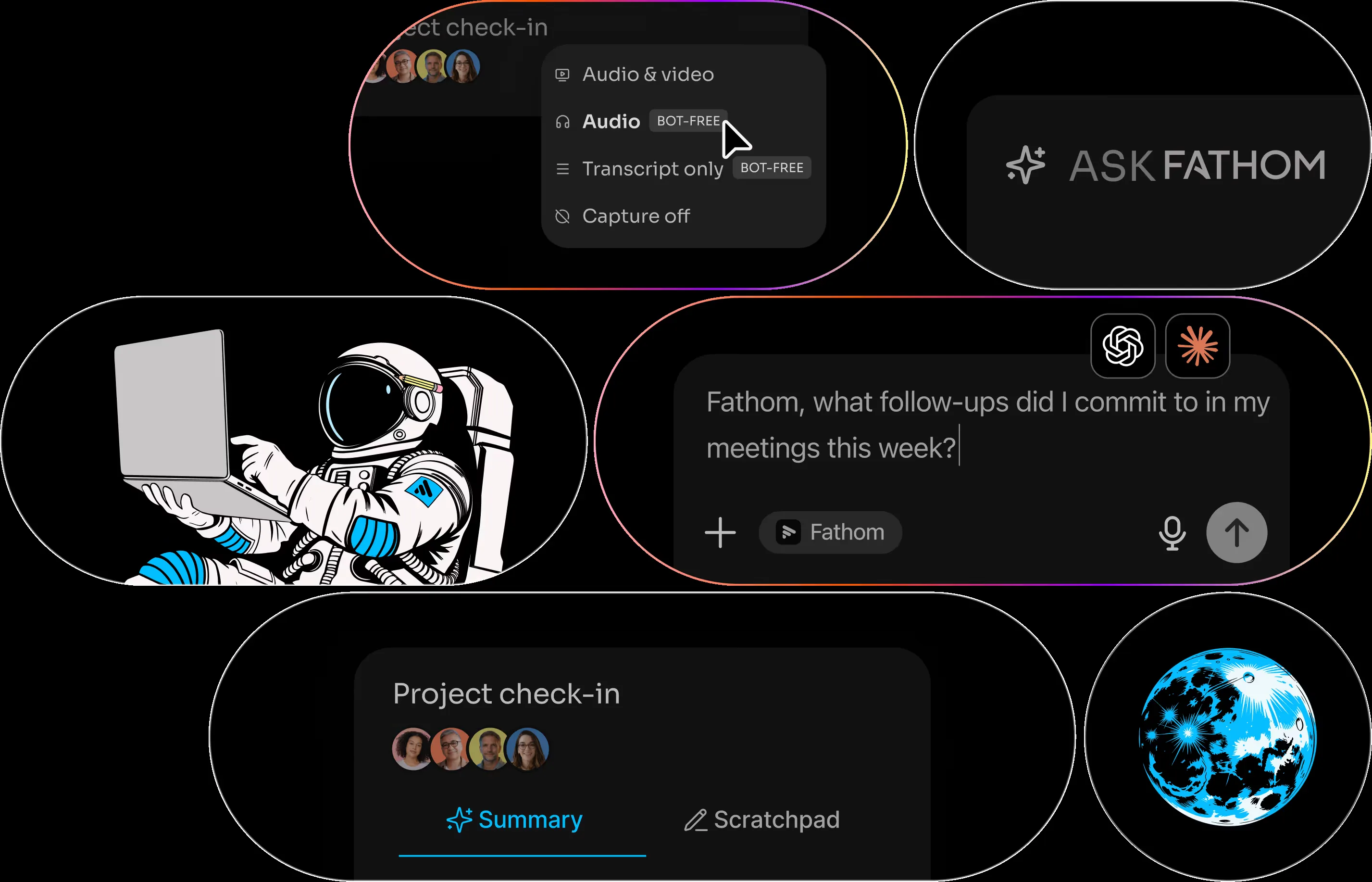 Official Fathom website visual: call capture, summaries, and the free-notetaker product story.
Fathom is an easy individual starting point: its free plan, recordings, and instant summaries cover the basics without a heavy setup. Team and Business plans add collaboration, playlists, and CRM sync.
How the interface feels. Fathom is organized around calls and summaries first. Clips and playlists matter once you start reviewing more than one meeting a day. The product also markets a bot-free beta path, which matters because “bot joins the Zoom” is no longer the only acceptable capture mode.
Free-tier reality. The individual Free plan is the headline for a reason. Paid begins when you want team features, premium individual power, or deeper CRM/coaching workflows. Do not assume every advanced summary or team permission is unlimited on Free just because recording is.
In daily use. Fathom is an easy personal default. The decision gets harder only when the whole team needs shared workflows and CRM updates.
Granola
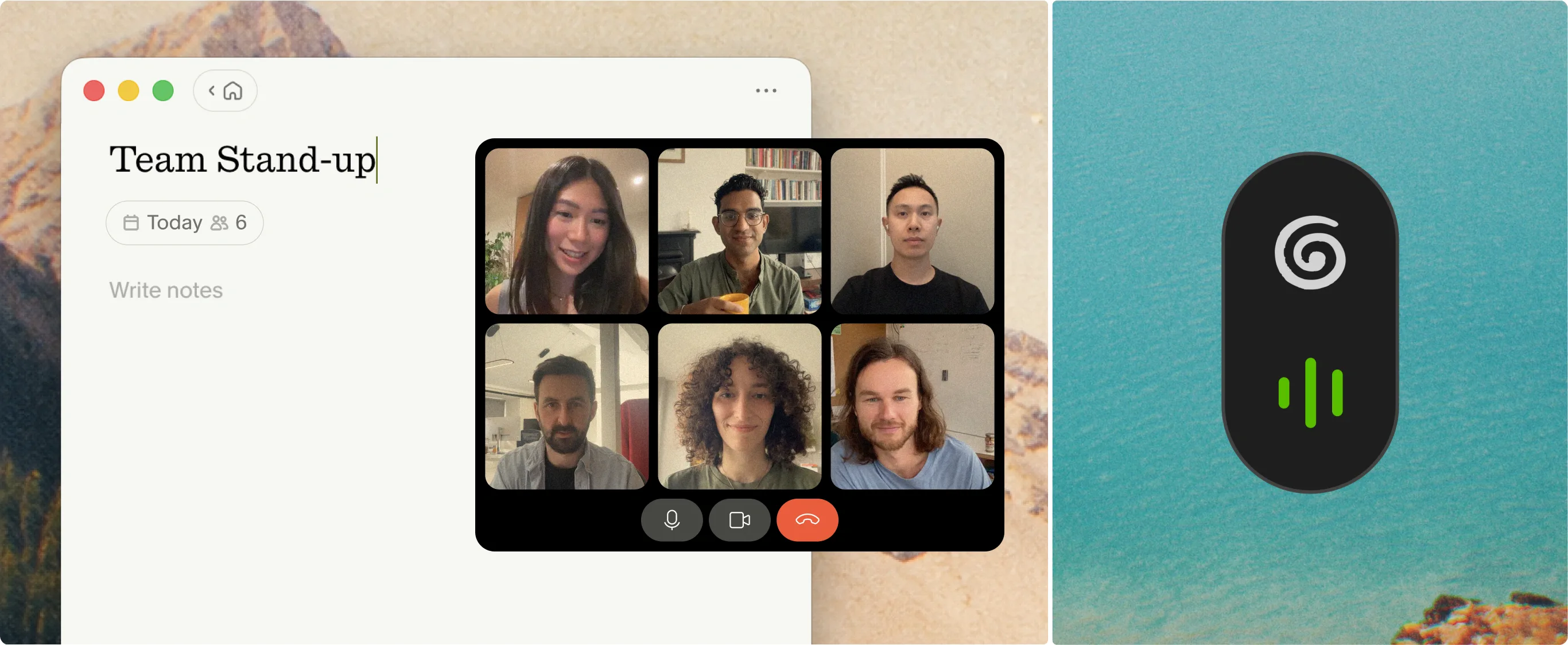 Official Granola product visual: notepad-style notes beside a call, without a meeting bot in the participant list.
Granola answers a common complaint: too many meetings now include a visible AI bot that some participants find distracting or intrusive. It positions itself as an AI notepad for back-to-back meetings, with device capture and human notes enhanced by AI.
How the interface feels. It looks more like a personal notes app than a meeting participant. That changes adoption in founder calls, candidate interviews, and rooms where a bot would be awkward.
Free-tier reality. Basic is free with limited meeting history. Business is about $14 per user per month for unlimited history, advanced models, and deeper integrations. If you live in back-to-back meetings, history limits matter more than people admit on day one.
In daily use. Granola works well when you want notes you still feel ownership over. It is less suitable when a team mainly needs a shared clip library or automatic CRM field sync.
tl;dv
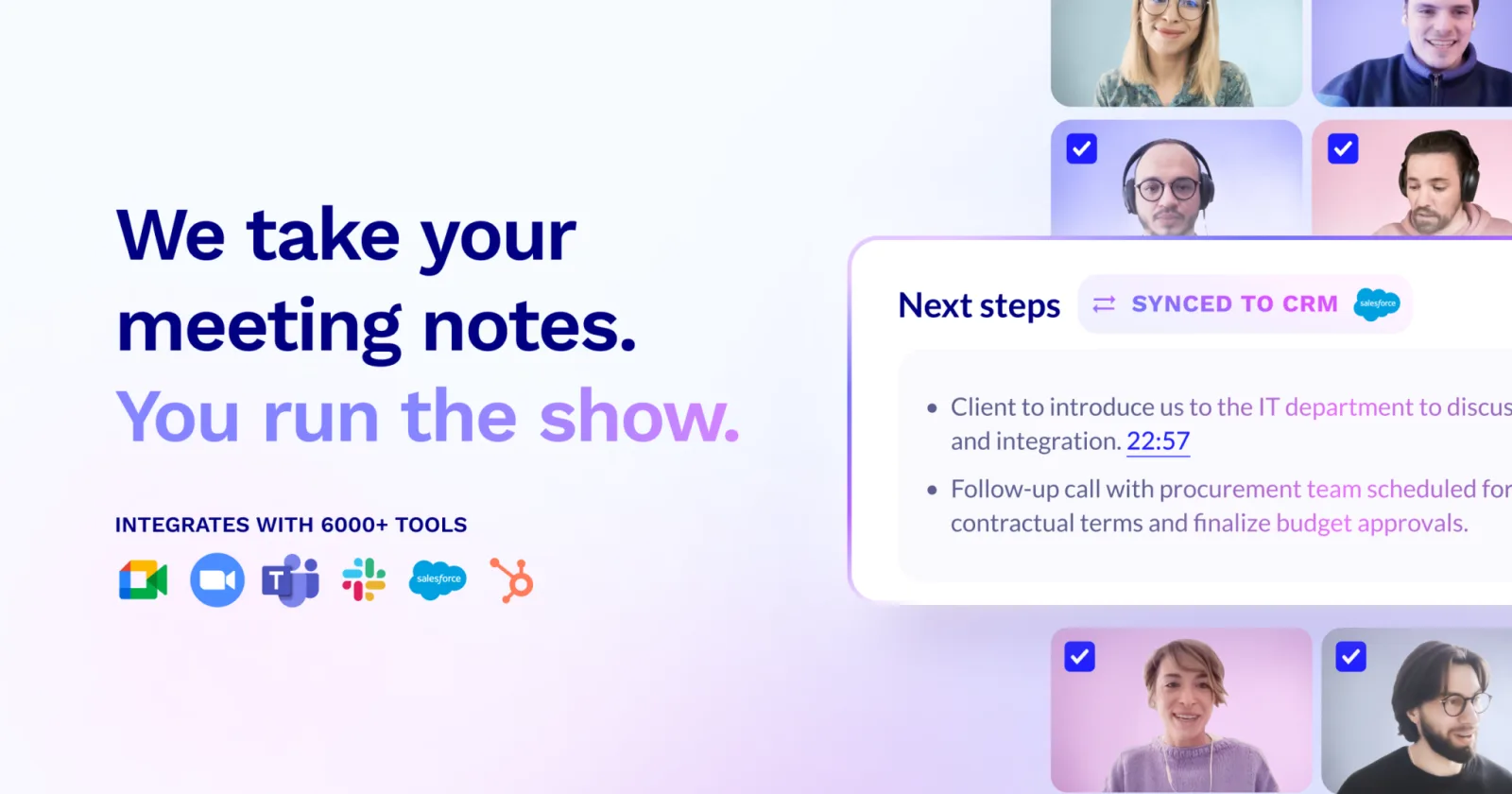 Official tl;dv product visual for the video-first meeting notetaker and clip workflow.
tl;dv stays on the shortlist because “read the transcript” is not how every team reviews meetings. Some people want the moment. Video timelines, clips, and multi-platform recording still matter, especially for product demos, sales calls, and async handoff.
How the interface feels. The center of gravity is the recording and the moments inside it. AI notes help, but the product’s personality is clip-first more than notepad-first.
Free-tier reality. Official pricing currently lists a Free plan with unlimited video recordings and transcription in 30+ languages. Pro is about $18 per seat per month annually for deeper AI notes and search. Re-check the current pricing page before choosing a plan.
In daily use. tl;dv is excellent when a team shares clips. If everyone only wants a paragraph summary in Slack, it may offer more video surface than the workflow needs.
Krisp
 Official Krisp product visual: desktop meeting assistant with noise cancellation as the front-door feature.
Krisp enters this list from a different direction. People often buy it because the call sounds bad, not because they need a transcript database. Noise cancellation comes first; AI notes and meeting-assistant features sit alongside it.
How the interface feels. It is closer to an always-on desktop audio utility plus notes than to a cloud archive. That bot-free install path is the point for users who do not want another participant in the call roster.
Pricing note. Krisp's Meeting Assistant plans are seat-based and currently use trial messaging plus plan selectors. Check the official page for exact pricing, then judge the product on whether clean audio is part of the job.
In daily use. If the recurring problem is background noise, Krisp can be more useful than a more polished transcript screen. If the problem is CRM hygiene, look elsewhere first.
Grain
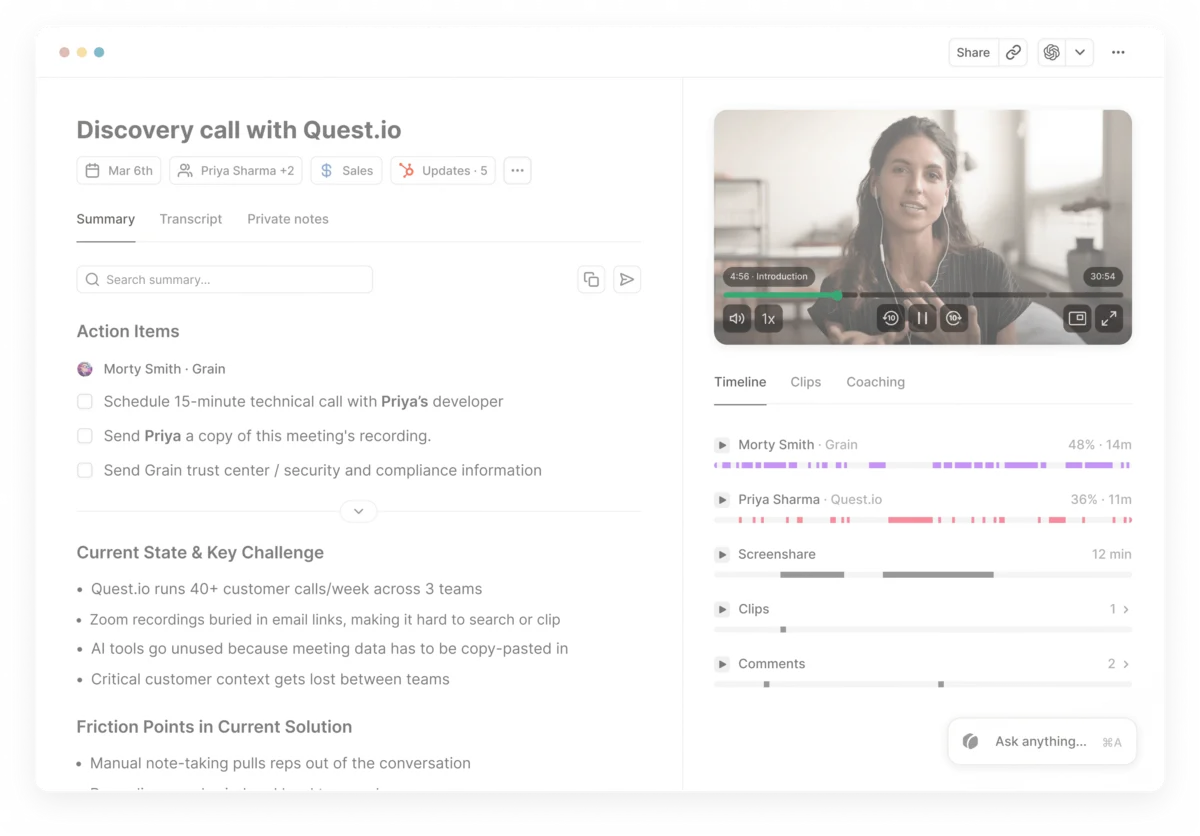 Official Grain marketing visual for team meeting notes and coaching-oriented review.
Grain is the specialist that still deserves a seat when the use case is sales, customer success, recruiting, or coaching. The product story is less “personal notepad” and more “make the important moments reviewable for a team.”
How the interface feels. Clips, deal review, and coaching loops matter more than live captions. If your manager watches calls, Grain’s shape makes more sense than a pure individual notetaker.
Pricing note. Grain markets a free starting path and paid team plans. Public pricing pages currently surface common seat-based paid messaging around the high teens per month, but selectors and package names change, so confirm on the official page.
In daily use. Grain shines in enablement routines. It is easy to overbuy if a company only needs personal summaries.
Feishu Minutes and Tingwu
These are practical options for Chinese-language meetings and suite workflows that English-only roundups can overlook.
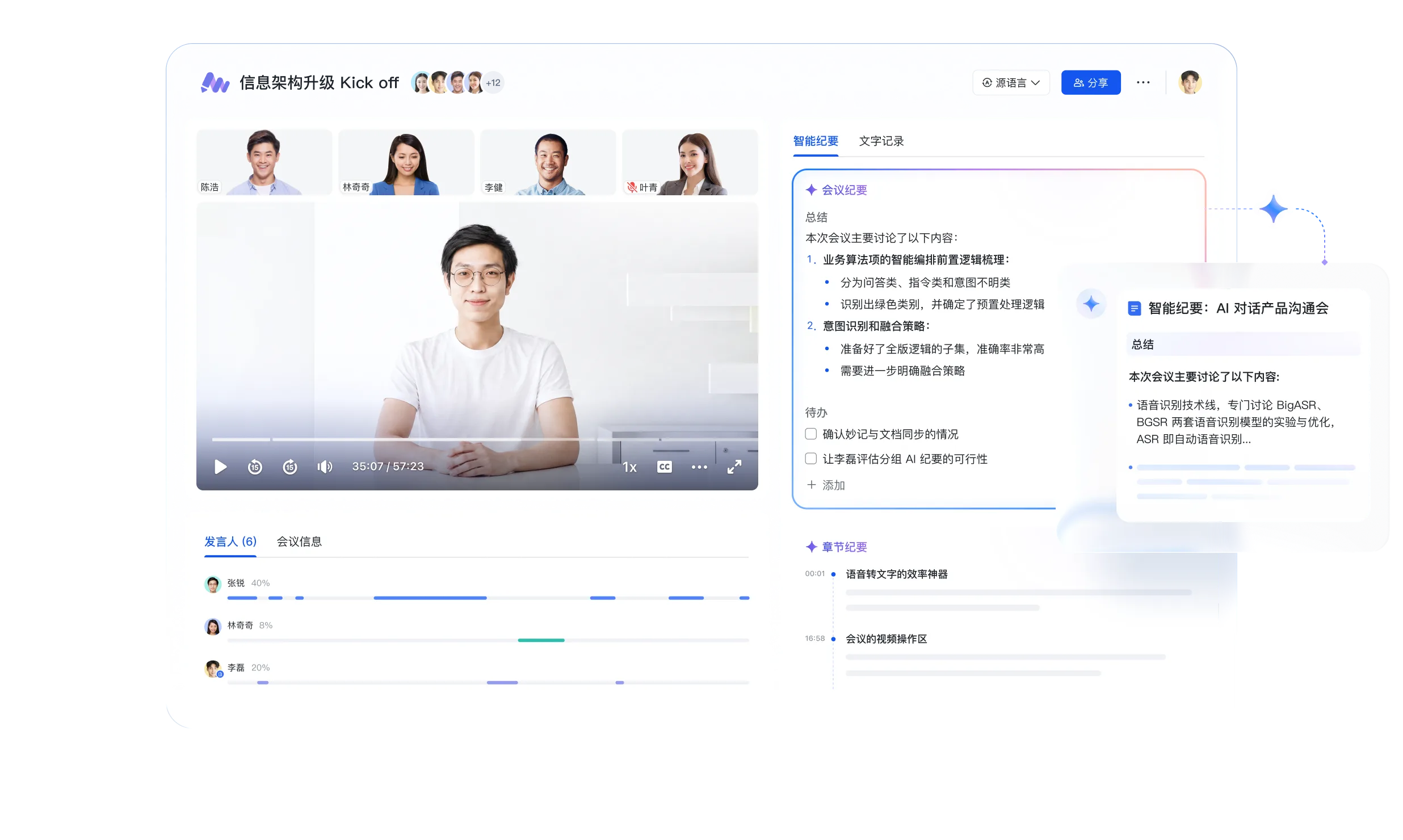 Official Feishu Minutes product visual: meeting transcript, summary, and collaboration inside the Feishu suite.
Feishu Minutes makes the most sense when the calendar, docs, and chat are already in Feishu. The win is not only transcription. It is that minutes, comments, and follow-ups can stay in the same work system. If your team lives elsewhere, the switching cost may erase the product quality.
Tingwu is the Alibaba path for speech-to-text, speaker distinction, chapter overviews, and faster meeting writeups. It shows up naturally for Chinese meetings, lectures, and study/work recording. Global English “best of” posts often miss it because their source graph is English-vendor heavy, not because the job-to-be-done is imaginary.
How the workflows differ in day-to-day use
| Work pattern | Better first pick | Why the result differs |
|---|---|---|
| Founder or IC who hates bots | Granola or Krisp | Capture without adding a participant |
| Team that searches old meetings | Fireflies | Archive + ask + automation matter more than live captions |
| Need live captions in the moment | Otter | In-meeting transcript is the product center |
| Want free forever individual recording | Fathom or tl;dv | Both market aggressive free plans; shape differs after capture |
| Sales coaching / clip reviews | Grain or tl;dv | Moments beat full transcripts |
| Feishu-centered Chinese team | Feishu Minutes | Notes stay where work already happens |
| Chinese transcription first | Tingwu | Language default and summary path fit the meetings you actually run |
Most strong teams keep more than one. A common split is Fathom or Otter for personal defaults, Fireflies or Grain for team systems, and Feishu Minutes or Tingwu when Chinese suite or language fit dominates.
FAQ
What is the best AI meeting assistant overall in 2026?
There is no single winner. For collaboration and automation depth, start with Fireflies. For live transcription familiarity, start with Otter. For free-forever individual use, start with Fathom. For bot-free notes, start with Granola.
Are free AI meeting notetakers actually usable?
Yes, with limits. Fathom and tl;dv currently market especially strong free recording stories. Fireflies and Otter free plans are usable but hit storage, minutes, or AI-credit walls sooner. Always separate “unlimited recording” from “unlimited advanced AI.”
Bot join vs bot-free: which should I choose?
Choose bot-free when meeting etiquette, candidate interviews, or executive optics matter. Granola and Krisp are the clearest bot-free shortlist names here. Choose bot join when you want reliable cloud capture and a shared archive with less dependence on one person’s laptop.
Is Granola better than Fireflies?
Only for some jobs. Granola is better when you want a personal, bot-free notepad. Fireflies is better when the meeting has to become searchable team knowledge with automation and CRM hooks.
Should Feishu Minutes or Tingwu replace Otter or Fathom?
Replace is the wrong frame. If your meetings are Chinese-first or your work already runs on Feishu/Alibaba tooling, they can be the primary assistant. If your company stack is Zoom + English CRM + Western SaaS, keep Fireflies/Otter/Fathom in the main lane and use Feishu Minutes or Tingwu where language or suite fit wins.
What about Avoma, Read, or other sales intelligence tools?
Some are real products. They did not make this general shortlist because their focus is narrower. If revenue intelligence is the only job, compare sales-intelligence tools separately rather than forcing every Gong-class platform into a general meeting-assistant list.
Method and sources
How we assessed the shortlist
We assess each assistant on four dimensions: capture model and meeting etiquette, workflow fit from transcript to notes or CRM, commercial reality such as free-plan limits, and evidence quality from official documentation and independent category coverage. This is an editorial comparison, not a controlled accuracy study: no product is presented as the universal winner, and no vendor receives paid placement in the shortlist.
Last reviewed: 20 Aug 2026. Editorial navigation was updated 21 Aug 2026; product and pricing claims retain the source-review date shown here.
The recommendations reflect product documentation, current pricing pages, interface design, and independent category coverage. Interface judgments describe the work surface and workflow, not a claim that every product was benchmarked on the same audio set. Pricing and plan limits change; re-check official pages before purchase.
Main references:
- Fireflies
- Fireflies Pricing
- Otter
- Otter Pricing
- Fathom
- Fathom Pricing
- Granola
- Granola Pricing
- tl;dv
- tl;dv Pricing
- Krisp
- Krisp Pricing
- Grain
- Grain Pricing
- Feishu Minutes
- Tingwu
- Rock's AI meeting-assistant comparison
- ToolChase's AI meeting-assistant comparison
- Related Mengbi reading: Best AI Coding Agents in 2026
We prefer official product and pricing pages over affiliate crown lists. If a claim depends on a changing free allowance, treat the official pricing page as source of truth.