

The best image generator is no longer just the one that makes the prettiest first draft.
AI image generators have become good enough to create a new problem: the first image often looks impressive, while the fifth revision reveals whether the tool belongs in a real workflow.
A marketer needs the product to stay recognizable after a background change. A designer needs type that can survive outside a demo. A developer cares about latency, API access, and whether the model can be deployed under the right terms. Someone making a presentation may simply want to describe an idea, make two corrections, and leave.
This guide compares the best AI image generators in 2026 around those jobs. It covers current products and models, their interfaces, editing paths, reference controls, and hand-offs. It is an editorial comparison based on official product documentation, current product surfaces, independent roundups, and a recent research benchmark. It is not a controlled Mengbi image-quality test, so there is no invented score or universal winner.
Quick answer
For most people, ChatGPT Images 2.0 is the easiest place to start. You can describe an image in ordinary language, upload something that already exists, and ask for changes without learning a separate design interface. Google Nano Banana 2 plays a similar role inside Gemini and is particularly attractive when fast edits and subject consistency matter.
Choose Midjourney when visual exploration and art direction are the work. Pick Ideogram for posters, logos, and layouts where the words inside the image have to read properly. Seedream 5.0 Pro deserves a place in the same shortlist for bilingual prompts, dense information design, and precise instruction-led editing.
For production systems, FLUX.2 offers the clearest range of API and deployment choices. Recraft V4 is the better fit when the output needs to become a vector or design asset. Adobe Firefly makes most sense inside Photoshop and Creative Cloud. Reve 2.0 turns the generated image into a more adjustable layout, while Leonardo.Ai is a broad studio for teams that want several models, editing, upscaling, and video in one place.
The shortlist at a glance
| What you are making | Start with | Why | Watch for |
|---|---|---|---|
| Everyday images and conversational edits | ChatGPT Images 2.0 | Low learning curve and easy back-and-forth | The final brand and fact check still belongs to you |
| Fast edits and recurring subjects in Gemini | Nano Banana 2 | Strong iteration speed, context, and subject consistency | Availability and limits vary across Google products |
| Concept art and strong visual direction | Midjourney | Distinctive exploration loop and mature editor | More control also means more workflow to learn |
| Posters, logos, and readable text | Ideogram | Typography and design-oriented tools | Check every final word before publishing |
| Bilingual information graphics and precise edits | Seedream | Handles dense layouts, Chinese and English, and reference-led work | Access path and model availability can vary by market |
| Image generation inside an app or private stack | FLUX.2 | API variants, open weights, multi-reference control | Licensing and infrastructure depend on the variant |
| Vectors and reusable graphic assets | Recraft | Raster and vector workflows live together | It is a design tool, not merely a prompt box |
| Photoshop and Adobe production | Adobe Firefly | Familiar hand-off into Creative Cloud | Partner models and Adobe models have different terms |
| Layout-led image editing | Reve | Objects, regions, and text remain easier to adjust | A newer ecosystem means fewer established team habits |
| One studio with many models | Leonardo.Ai | Generation, editing, upscaling, and video in one surface | Credits and model choices need active management |
Why the interface matters as much as the model
Model leaderboards are useful, but they answer a narrower question than most buyers have. A recent arXiv study compared 48 difficult prompts across four systems and found Gemini 3 Pro Image narrowly ahead of FLUX.2, with object counts, geometry, missing elements, and embedded text still causing failures. The paper is useful evidence for difficult compositional prompts, but it used an automated judge and covered only four models. It cannot tell you which app has the best editor, the cleanest hand-off, or the right licensing path (Abdoli, Al-Sumaidaee, and Rashad, 2026).
That distinction matters because models now travel between products. Nano Banana and GPT Image can appear inside third-party studios. Adobe Firefly offers Adobe and partner models in the same workspace. Leonardo lets people switch between several engines. The product surface decides what happens after generation: can you preserve a face, move an object, fix one word, compare versions, upscale the result, or send it into the tool where the rest of the team works?
Zapier's current comparison reaches a similar practical conclusion: once many leading models can make a strong image, usability and control matter much more than they did a few years ago (Zapier's 2026 comparison).
ChatGPT Images 2.0: the easiest all-purpose starting point
ChatGPT Images 2.0 is the least intimidating choice because the interface is already familiar. You can ask for a cover illustration, upload a rough layout, point out the part that is wrong, and continue the conversation. OpenAI's current help documentation covers generation, uploads, transparent backgrounds, aspect ratios, and selection-based edits. The April 2026 Images 2.0 release also emphasizes denser layouts, more reliable text, and faster back-and-forth (Images 2.0 announcement, Images in ChatGPT).
That makes it the most sensible first recommendation for a founder, content editor, or small team that does not want to learn a dedicated image studio. It also fits naturally beside a writing workflow: once the copy is settled, the same conversation can produce a thumbnail, diagram, or social variation. Teams already using the tools in our AI writing guide will understand this appeal immediately.
The catch is that conversation can hide production details. A pleasing image may still contain a wrong label, an invented interface, or a product that subtly changed shape. Treat the output as a draft, not evidence. For brand assets, keep the actual logo and product photography outside the model unless your usage rules clearly allow the transformation.
Nano Banana 2: fast iteration inside Gemini
Google's Nano Banana 2, officially Gemini 3.1 Flash Image, brings the speed of a Flash model to image generation and editing. Google highlights subject consistency, instruction following, world knowledge, and production-ready output, with availability across Gemini and other Google products (Nano Banana 2 announcement).
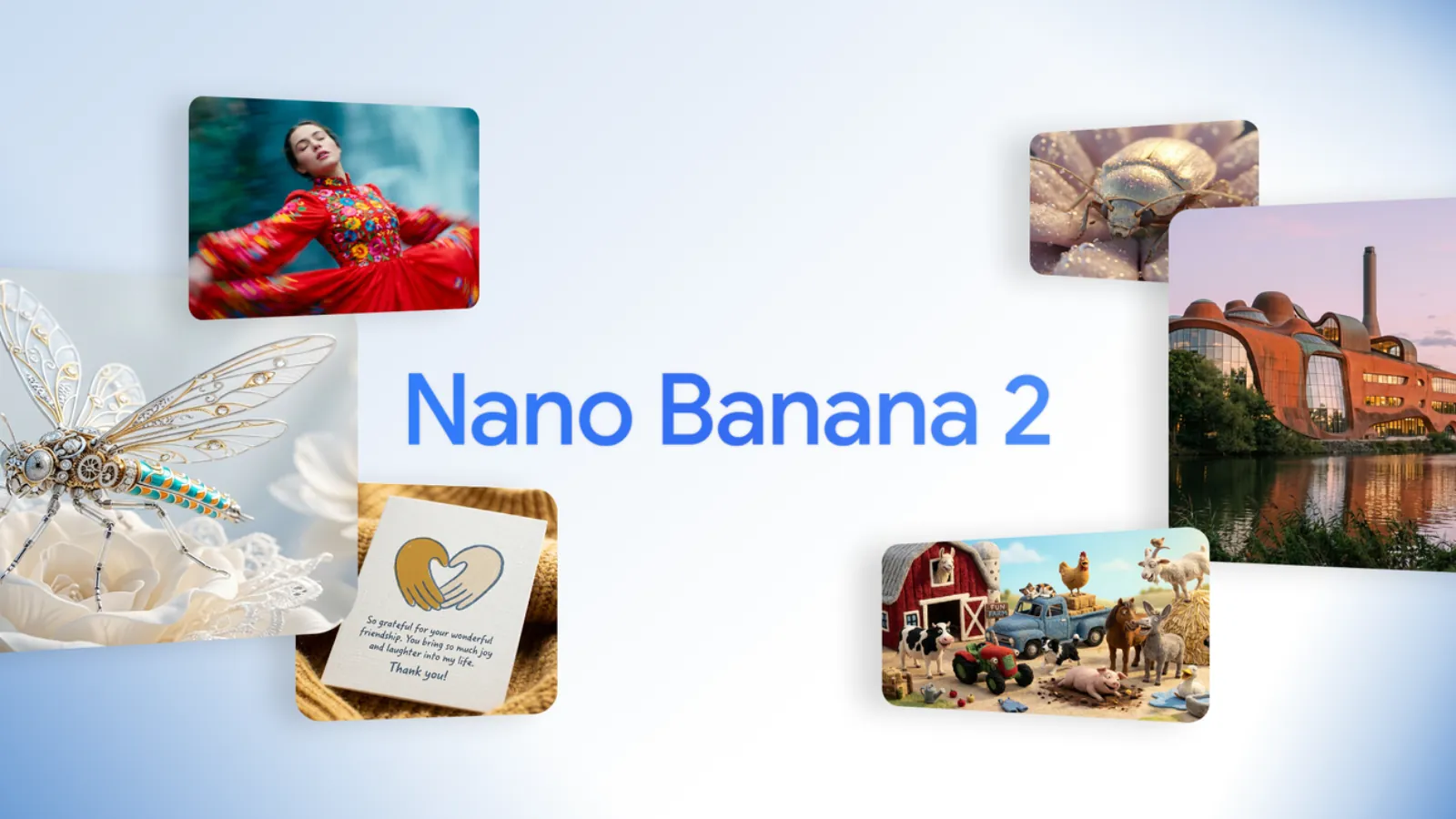 Google's official Nano Banana 2 launch visual shows the mix of subjects the model is designed to handle. Source: Google.
The product advantage is not only image quality. Gemini can understand a request in the same conversational context as the research or planning around it. If the image is for a travel plan, classroom handout, or concept explanation, that shared context can remove a lot of prompt setup. It is also a strong candidate for repeated edits where the person or object needs to remain recognizable.
Choose it over ChatGPT when your work already lives in Google, or when fast image-to-image iteration is the center of the task. Choose a dedicated design product instead when you need precise layout controls, an asset library, or a repeatable team pipeline.
Midjourney V8.2: for art direction and visual exploration
Midjourney still feels less like an assistant and more like a visual instrument. Its value is the loop: generate a direction, explore variations, combine references, adjust the frame, and keep going until the image has a point of view. As of July 2026, Midjourney's documentation lists V8.2 as the default model and describes HD output, improved speed, and current feature support (Midjourney version documentation).
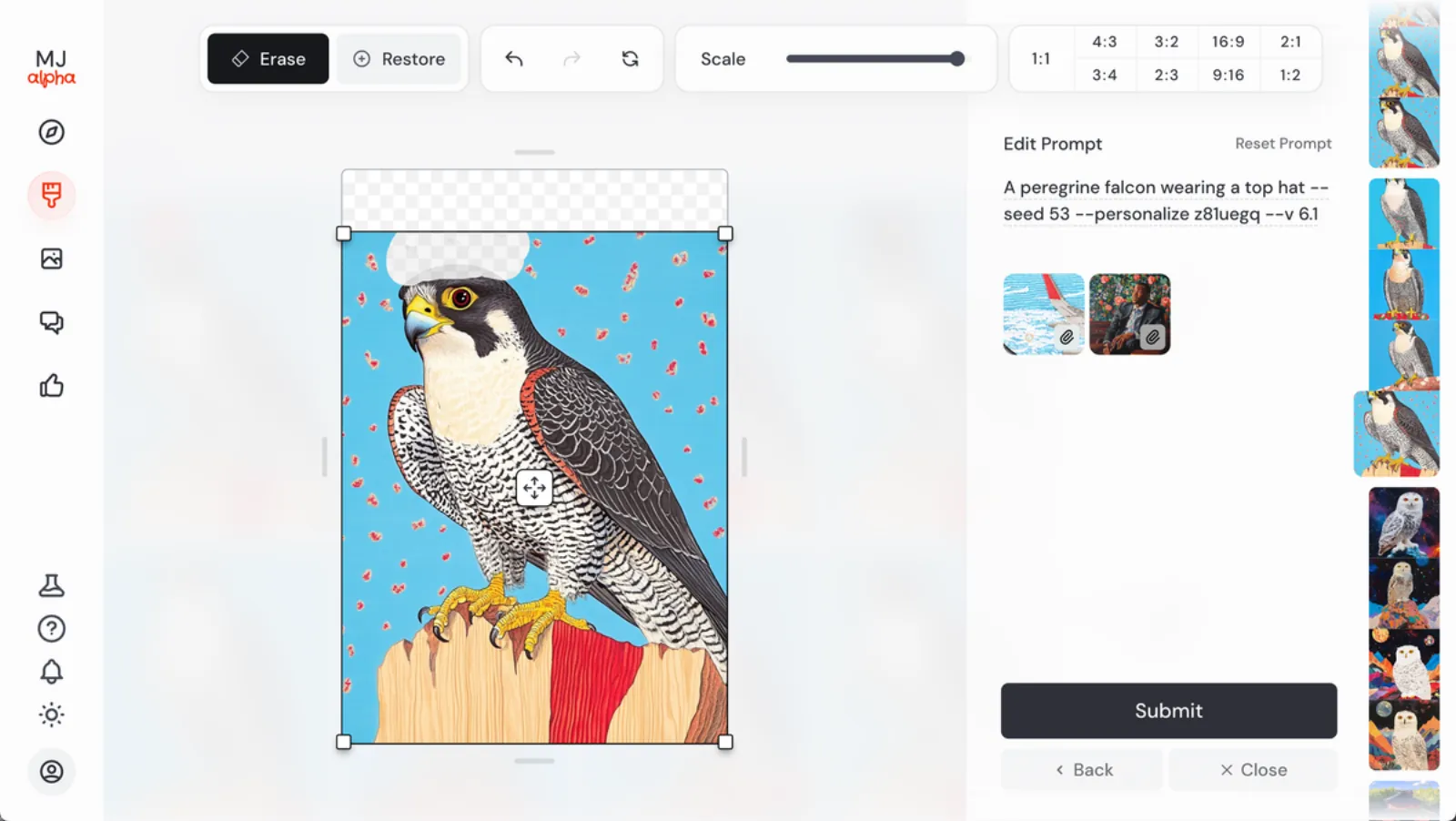 Midjourney's web editor makes the product feel closer to a visual studio than a one-shot prompt box. Source: Midjourney.
The editor is the part worth noticing. Erase and restore tools, canvas scaling, aspect-ratio controls, prompt revision, and image references make it easier to work through an idea rather than keep rerolling from scratch. That suits concept art, campaign mood, editorial illustration, and any brief where visual surprise is useful.
It is not the default answer for every business image. Teams that mainly need a diagram, accurate product copy, or a simple edit can get there faster elsewhere. Midjourney earns the extra attention when the image itself carries the creative direction.
Ideogram 4.0: for typography, posters, and layouts
Ideogram built its reputation around text inside images, and that remains the clearest reason to try it. The product now combines generation with prompt building, image editing, a studio, reusable references, and Canvas-style work. Ideogram 4.0 also arrived in June 2026 as an open-weight model with a commercial license, adding a deployment story to the consumer app (Ideogram 4.0 release).
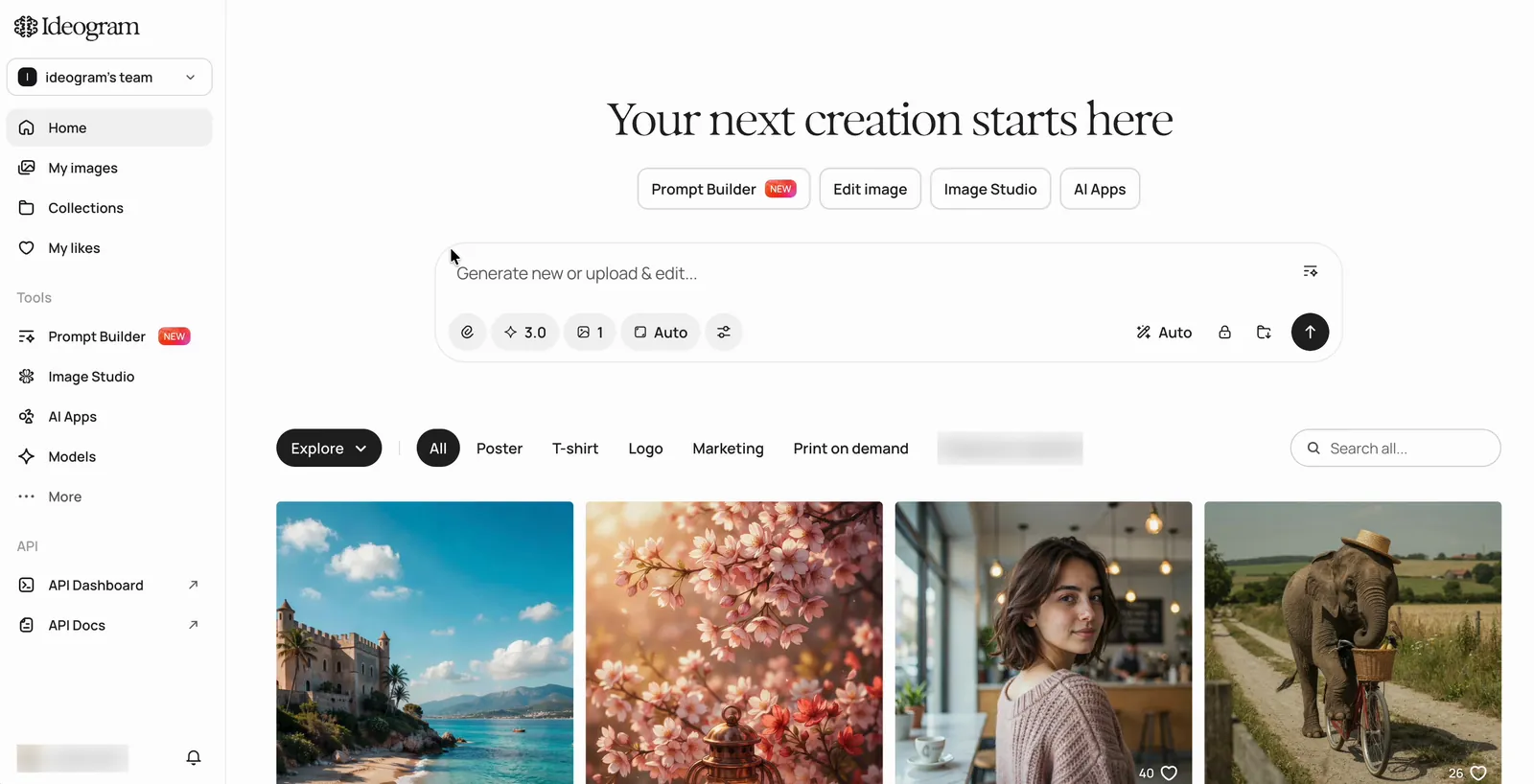 Ideogram puts generation, editing, models, and an image library in one workspace. Source: Ideogram documentation.
For a poster, event graphic, logo exploration, packaging concept, or thumbnail with a headline, start here before forcing a general-purpose model to redraw the same word six times. The interface also gives each generation a useful afterlife through remixing, upscaling, background changes, references, and Canvas editing (Ideogram generation guide).
Readable is not the same as approved. Names, dates, prices, and legal copy still need a character-by-character check. If the typography is mission-critical, use Ideogram to establish the concept, then finish the type in a real design file.
Seedream 5.0 Pro: for bilingual and information-dense visuals
Seedream belongs in the main comparison, not in a separate regional appendix. ByteDance introduced Seedream 5.0 Pro in July 2026 with an explicit focus on professional creative work: complex information visualization, image-text alignment, structure, text rendering, and precise interactive editing. The company also acknowledges room for improvement in fine-grained text and pixel-level consistency, a useful caveat that marketing pages do not always volunteer (Seedream 5.0 Pro announcement).
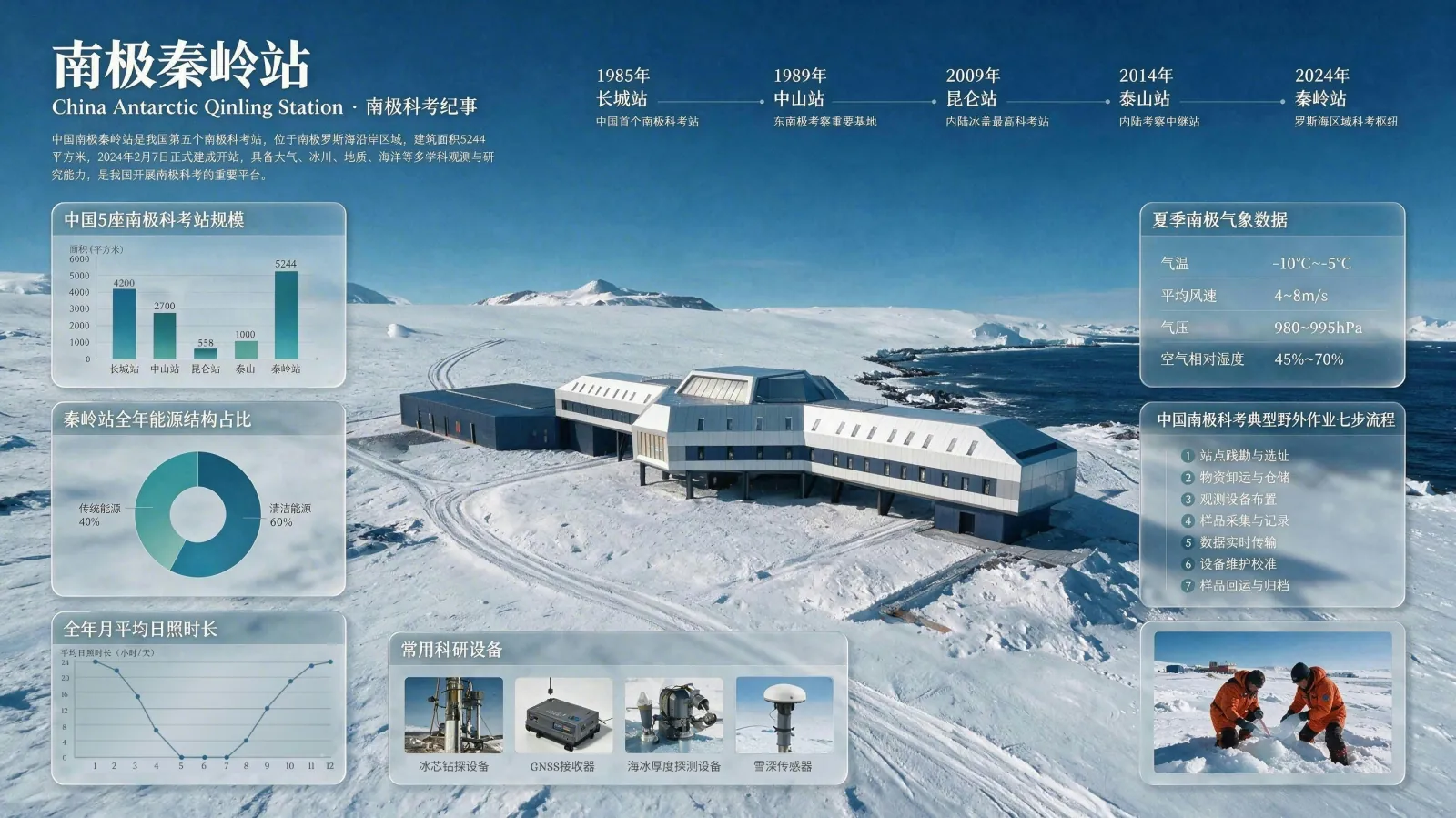 An official Seedream 5.0 Pro example combines a photographic scene with dense Chinese labels, charts, and structured information. Source: ByteDance Seed.
That example shows the real use case better than another cinematic portrait. Seedream is compelling for explainers, presentation graphics, education, e-commerce layouts, and briefs that move naturally between Chinese and English. It also gives Chinese-speaking teams a model whose bilingual and cultural handling is part of the product story rather than an afterthought.
The practical question is access. Before standardizing on it, confirm which Seedream product or API is available to your team, which model version it exposes, and where the generated files can go next.
FLUX.2: for APIs, open weights, and reference control
Black Forest Labs treats FLUX.2 as a model family rather than one fixed app. The lineup spans fast local-friendly options, production APIs, typography-oriented control, and a top model with grounded generation. Official documentation describes image generation and editing, up to 4MP output, multi-reference inputs, and open-weight variants for teams that need more control over deployment (FLUX.2 model page, FLUX.2 help).
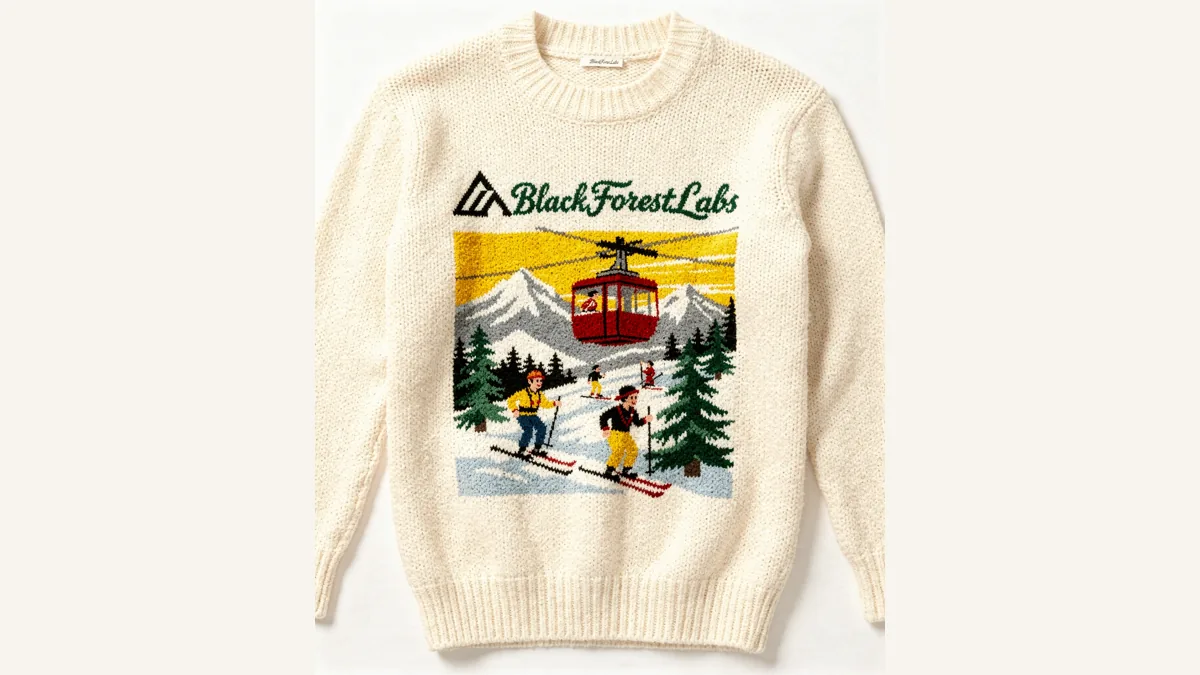 A FLUX.2 product example combines material texture, a branded graphic, and readable lettering. Source: Black Forest Labs.
This is the strongest fit in the list for a product team building image generation into its own application. A developer can choose speed, quality, typography, or deployment flexibility instead of accepting the settings of a consumer app. The same distinction matters to teams already thinking about agent and API infrastructure in our AI coding agents comparison.
Read the license for the exact variant you plan to use. Open weights does not mean every model, use case, or commercial deployment has identical terms. Infrastructure cost and moderation also become your responsibility when you move away from a hosted product.
Recraft V4: for vectors and design assets
Recraft is the clearest choice when the generated image is only one component of a design system. Its workspace handles raster images and vectors, and Recraft V4 includes separate raster and vector models, including higher-resolution Pro variants. The February 2026 release framed the model around composition, typography, photography, and editable production assets rather than image generation as an isolated trick (Recraft V4 announcement, Recraft models).
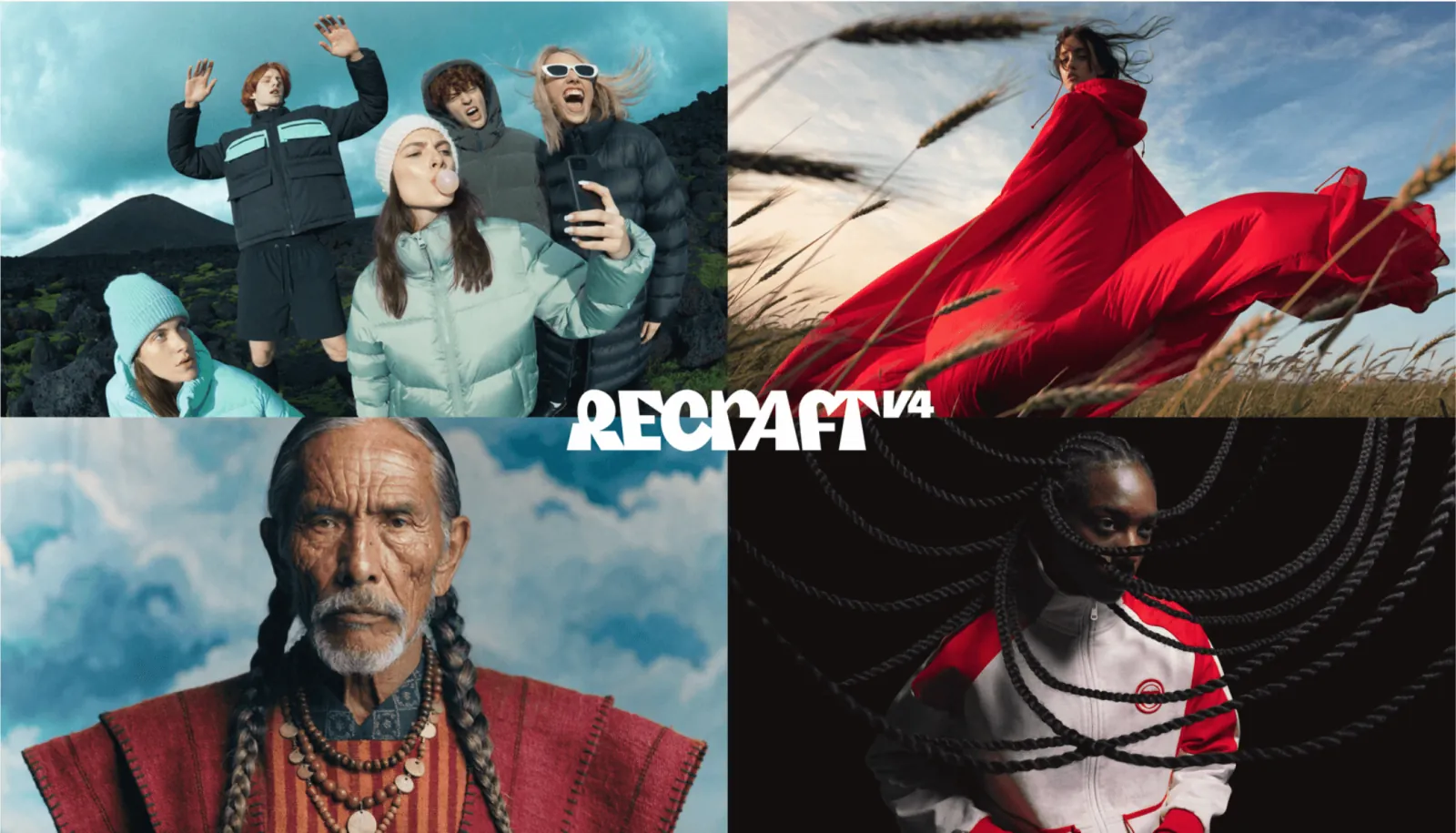 Recraft V4's launch material emphasizes art direction across several types of commercial visual. Source: Recraft.
Use it for icons, illustrations, packaging directions, branded graphics, and assets that may need to become SVG rather than remain a flattened picture. This is a fundamentally different value proposition from ChatGPT or Midjourney: the destination is often a design file, not a conversation or a gallery.
The trade-off is that Recraft expects design decisions. Someone who only needs a quick blog thumbnail may find a general assistant faster. A visual team building a reusable asset family will appreciate the structure.
Adobe Firefly Image 5: for Photoshop and Creative Cloud
Adobe Firefly makes the strongest case when the rest of the work already happens in Adobe. Firefly's current image workflow lets users choose Adobe models and partner models, set aspect ratio and content type, and move generated material into the wider Creative Cloud toolset. Adobe's July 2026 documentation lists Firefly Image 5 alongside earlier Adobe models (Firefly text-to-image documentation).
The Adobe-specific advantage is the hand-off. A generated background can be refined in Photoshop, typography can remain real typography, and the final file can move through a familiar review process. Adobe also markets its own Firefly models around commercial safety, but teams should read the current terms and Content Credentials guidance rather than treating one slogan as blanket legal advice.
Firefly is less compelling as a standalone subscription when nobody on the team uses Adobe apps. In that case, compare the actual model and credit allowance with the simpler web products before paying for an ecosystem you will not use.
Reve 2.0: for images that remain adjustable
Reve 2.0 is interesting because it treats an image as a layout with objects, text, and regions instead of a single frozen rectangle. Its June 2026 release introduced native 4K generation and controls for moving a subject, changing words, swapping a background, and adjusting the composition (Reve 2.0 announcement).
That approach is useful for ads, editorial layouts, and concept work where the first generation is only the beginning. It reduces the familiar frustration of asking a model to keep everything identical except one detail, then watching three other details move.
Reve is newer than the established creative suites, so the question is not only whether one image looks good. Test how the team finds old work, shares references, exports files, and manages revisions. A clever editor becomes valuable only when the surrounding product can carry the project.
Leonardo.Ai: for a broad multi-model studio
Leonardo.Ai is less about one flagship model than a large creative surface. Its 2026 getting-started guide covers generation, model switching, image references, editing, upscaling, video, and a Canva hand-off. Leonardo recommends its own Lucid models for general creation while also exposing models from other providers (Leonardo.Ai guide).
That breadth suits creators who do not want separate subscriptions for every experiment. A game team can explore characters, a marketer can generate and upscale campaign imagery, and a social team can move from still image to video without leaving the platform.
Breadth also creates homework. Model names, credit costs, output rights, and editing behavior can vary inside the same interface. Choose Leonardo because you want the studio, not because a long model menu automatically produces a better image.
How to choose without testing all ten
Start with the final file, not the prompt. If you need a quick visual for a document, use ChatGPT or Gemini. If a creative director will select a visual world, compare Midjourney and Recraft. For words inside the image, try Ideogram and Seedream. For Photoshop delivery, choose Firefly. For a product integration, compare the FLUX.2 variants and Ideogram's open-weight path. If the generated object must remain adjustable, look closely at Reve.
Then run three small checks with your own material. Use one prompt that includes exact text, one edit that must preserve a person or product, and one delivery task such as exporting a transparent asset or sending the result into a design file. Ten minutes spent on those hand-offs reveals more than a gallery of beautiful samples.
Finally, verify the current plan before buying. Image products change model defaults, credit systems, commercial terms, and availability quickly. This guide deliberately avoids quoting a price that may be stale by the time you open the checkout page.
Frequently asked questions
What is the best AI image generator overall in 2026?
ChatGPT Images 2.0 is the easiest overall recommendation for people who want good results without learning a dedicated studio. That does not make it best at every job. Midjourney is stronger for visual exploration, Ideogram for typography, Recraft for vectors, Firefly for Adobe workflows, and FLUX.2 for product integration.
Which AI image generator is best for text and logos?
Start with Ideogram for posters, logo concepts, and readable text. Seedream is also worth testing for bilingual and information-dense layouts, while FLUX.2 includes variants oriented toward typography. Always proofread the rendered words and recreate final brand typography in a design tool.
Which option is best for consistent characters or products?
Nano Banana 2, FLUX.2, Midjourney, and Seedream all offer reference-led workflows that can help preserve subjects across revisions. The right choice depends on whether you want a conversational app, an art-direction studio, or an API. Test consistency with your own references before committing.
Is there a free AI image generator worth using?
Several products offer free access or limited trial credits, including ChatGPT, Gemini, Ideogram, Recraft, Leonardo, and Adobe Firefly, but allowances change frequently. Check the current plan for generation limits, private output, downloads, and commercial-use terms.
Can AI-generated images be used commercially?
Commercial use depends on the product terms, model, plan, source material, and jurisdiction. Adobe and several other vendors publish specific commercial-use positions, but no tool removes the need to check trademarks, publicity rights, copyrighted references, and client requirements. Keep provenance records for important work.
Does an open-weight model mean it is free for any use?
No. Open weights describe access to model files, not a universal license. Ideogram 4.0 and parts of the FLUX.2 family have open-weight options, but their licenses, commercial permissions, hosting costs, and acceptable-use rules must be reviewed separately.
How this guide was researched
The shortlist was built from current product documentation, release notes, product interfaces, independent category comparisons from Zapier, Tom's Guide, and Digital Camera World, plus the August 2026 arXiv benchmark cited above. Vendor claims are attributed to the vendor, and the research benchmark is kept within its limited prompt set and judging method.
Product versions, model defaults, plans, and terms can change quickly. Last reviewed: 23 Aug 2026.