

A workflow-led guide to the writing tools teams are still likely to use after the first week.
Most teams choose their first AI writing tool in a hurry. A launch email is due, the brief backlog is growing, or someone has been staring at a blank document for two hours. A general chatbot gets the job done, the draft gets copied into a document, and a few weeks later the team is asking: why are we paying for three tools that seem to produce the same paragraph?
That is the problem this guide is meant to solve. The differences that matter rarely show up in a one-line demo. They show up before the first draft, during review, and when the copy has to move through an actual team.
This editorial comparison of the best AI writing tools for content teams in 2026 looks at drafting, editing, brand voice, workspace context, search-led content, and the hand-offs that tend to slow publishing down. It is not a controlled benchmark of writing quality, and there is no universal winner. The right shortlist depends on where your team is actually losing time.
Quick answer
For most teams, ChatGPT or Claude is the best place to start for briefs, outlines, and first drafts. ChatGPT gives you a broader workspace for writing, research, documents, and connected work. Claude tends to suit longer documents, voice-sensitive editing, and more deliberate back-and-forth. OpenAI describes ChatGPT as a tool for turning rough thoughts into polished writing, while Anthropic positions Claude as a thinking partner that can help develop a unique voice and improve style (ChatGPT overview, Claude product overview).
Add Grammarly if the team already writes in Google Docs, email, Slack, or the browser and mainly needs help in place. Jasper makes more sense when brand rules, marketing operations, and repeatable campaign production are the bigger concern. Notion AI is the obvious candidate when the briefs, source material, and approvals already live in Notion. Writesonic is more specialized around search-led content and AI visibility, while Copy.ai now looks more like a go-to-market workflow platform than a simple copy generator.
For Chinese-language work, a simple geography-based split is not very useful. Kimi, Qwen, and DeepSeek are worth testing when tone, terminology, data access, or model availability changes the brief. They belong in the same evaluation, even if they end up filling different roles in the workflow.
The shortlist by job
| If your team needs... | Start with... | Why it makes sense | Watch for |
|---|---|---|---|
| Briefs, outlines, and fast multi-format drafts | ChatGPT | Broad work surface and easy iteration from rough notes to a finished draft | A polished first draft still needs a human fact and voice pass |
| Long-form nuance and style-sensitive editing | Claude | Strong fit for reading a lot of context and working through tone | It is not a complete campaign-operations system by itself |
| Brand-governed marketing production | Jasper | Brand voice, agents, and content pipelines are the center of the product | It can be more platform than a small team needs |
| Editing wherever people already write | Grammarly | Inline suggestions, rewrites, tone, and proofreading across many apps | Prompt allowances and advanced controls vary by plan |
| Drafting inside the team workspace | Notion AI | Uses pages, docs, tasks, databases, and connected context | The value drops if your source of truth lives elsewhere |
| Search-led articles and AI visibility | Writesonic | Connects content production with search and citation workflows | SEO automation still needs editorial judgment |
| Repeatable GTM workflows | Copy.ai | Tables, actions, workflows, and role-based use cases | It is broader than writing, which can complicate a simple brief |
| Chinese-first drafting or research | Kimi, Qwen | Useful when language, access, or model choice is part of the requirement | Check terminology consistency and export paths before rollout |
What counts as an AI writing tool for a team?
An AI writing tool should do more than turn a prompt into a paragraph. For a team, the real job is getting from a brief to something publishable without losing sight of why the piece exists in the first place.
In practice, there are four things to look for. The tool should help shape the work—audience, angle, outline, and source material—before it starts writing. It should be able to draft or transform text without making every sentence feel templated. It also needs to support review, whether that means grammar, tone, citations, factual checks, or brand rules. And it has to fit the hand-off, whether the next stop is a document, CMS, campaign brief, email, or internal approval thread.
That is why a grammar assistant and a marketing platform can reasonably sit in the same comparison: they solve different parts of the same publishing loop.
How the interfaces change the work
Interface design changes the workflow more than it first appears. A blank chat window, a side panel inside a document, and a structured campaign canvas all push the writer toward different habits.
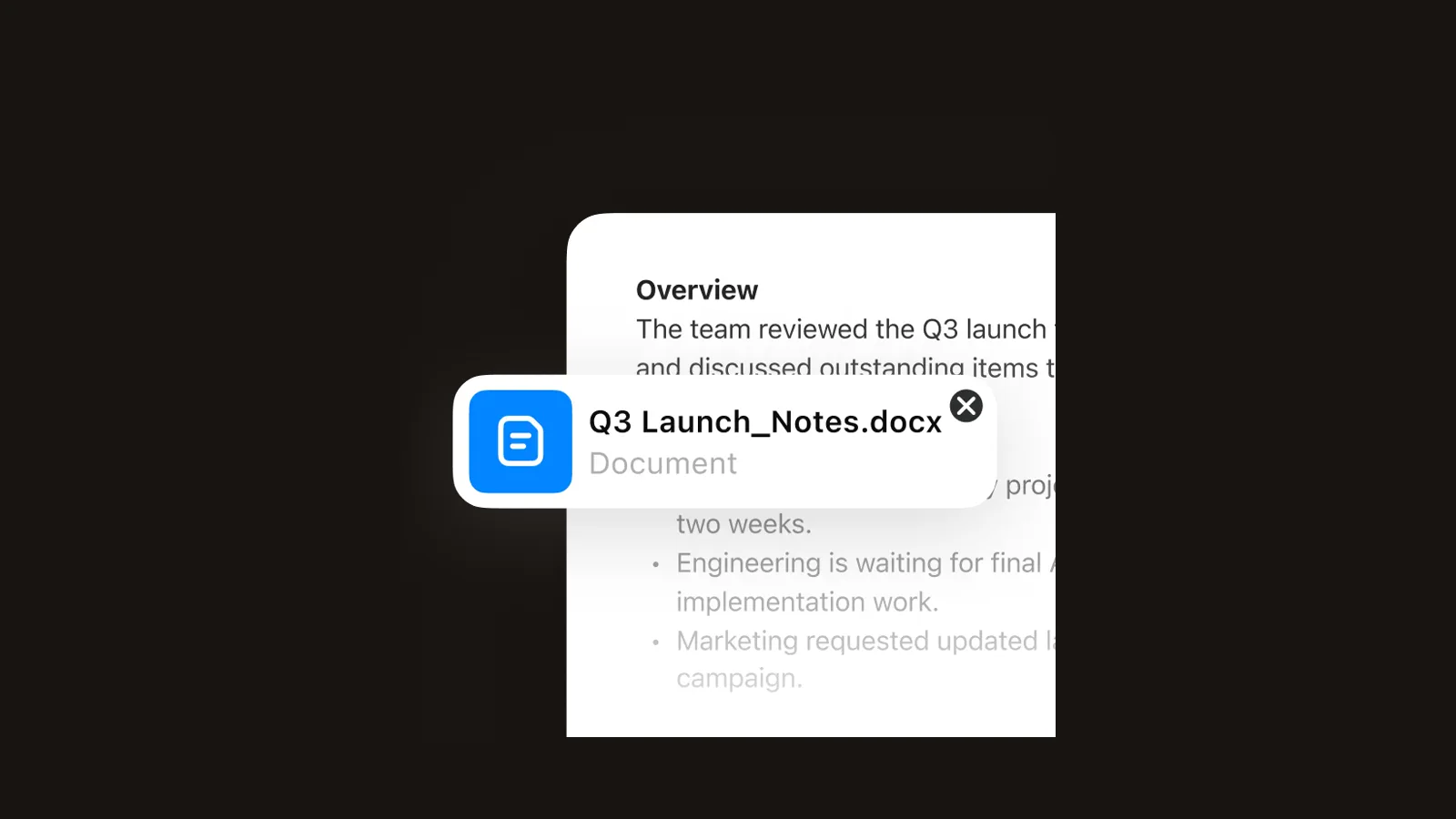 ChatGPT Canvas is built for moving from rough notes to a document, then asking for another pass without leaving the conversation.
ChatGPT is an easy general starting point because the team does not have to decide the final format upfront. A rough brief can become an outline, a customer email, a landing-page draft, or a set of social variations. That flexibility comes with a cost: more of the quality control stays with the team. A vague brief can still produce polished copy that misses the product, the audience, or the evidence.
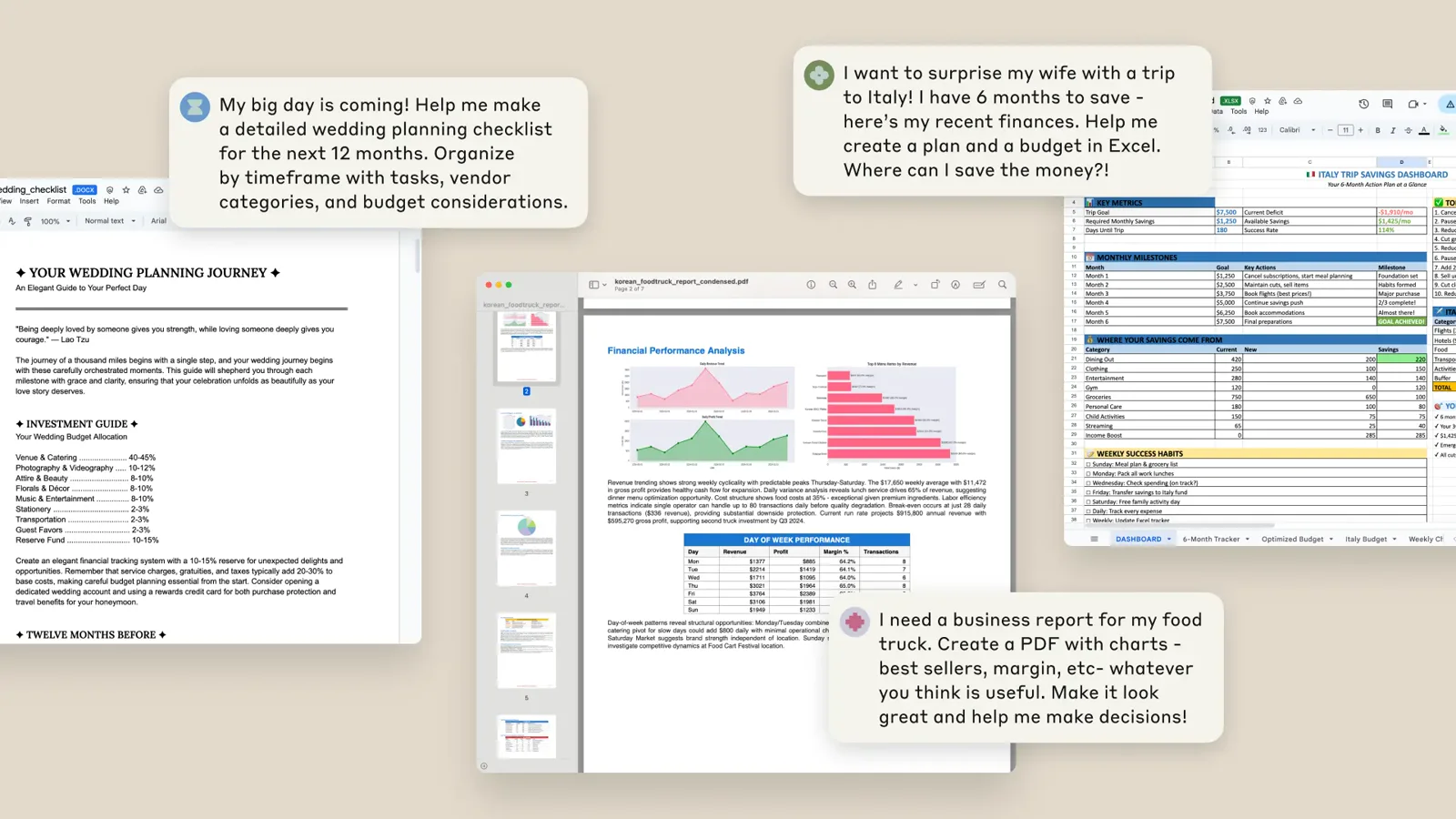 Claude's official product visual shows prompts turning source material into finished documents and analysis files—the kind of hand-off that makes long-form work easier to review.
Claude works particularly well when the document itself is the main workspace. Think founder letters, research-led articles, or long help-center drafts where the writer keeps returning to the same context. The first draft matters less than what happens next: can the second and third passes improve the piece without sanding away the writer's intent?
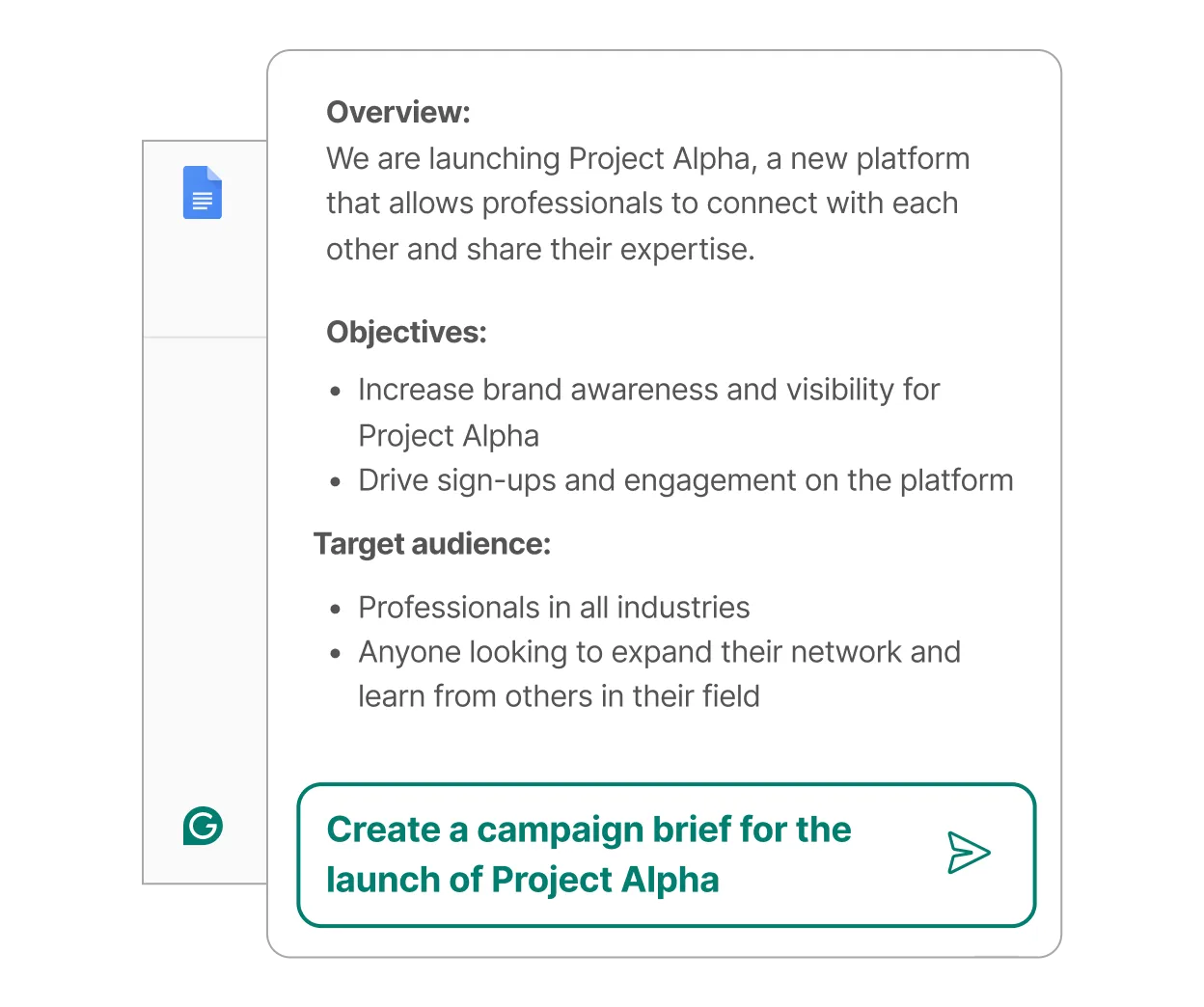 Grammarly keeps the writing surface close to the app where the team is already working, with suggestions for tone, length, and clarity.
Grammarly takes almost the opposite approach. It stays close to the sentence, which is why it remains useful long after the novelty of first-draft generation wears off. Its official product page describes support across more than a million apps and websites, with rewriting for tone, length, and formality and a free plan that includes a monthly prompt allowance (Grammarly AI Writing Assistant). In practice, that makes it a strong review layer rather than the place to plan an entire content calendar.
ChatGPT: best overall starting point for mixed content work
ChatGPT is the broadest option in this comparison. It can turn notes into a brief, adapt the same idea for a sales email or help article, summarize a long document, and keep going when a stakeholder changes direction halfway through. OpenAI's current overview places writing alongside documents, research, images, spreadsheets, and connected work, which helps explain why it often becomes a team's first AI writing experiment.
The interface is conversational, but the work does not have to remain trapped in chat. Writing blocks and document-style workflows make it easier to turn a loose exchange into something the team can actually review. That is useful for content leads who prefer to start messy and add structure later.
Best for: mixed content calendars, small teams, founders, and writers who need one flexible tool before they build a larger stack.
The catch: ChatGPT does not automatically know your product truth or your house style. Give it the source material, be explicit about what it must not invent, and keep a human in the approval loop. The tool is fast, but the quality still depends heavily on the brief.
Claude: best for long documents and voice-sensitive work
Claude is a strong pick when the writing needs room to develop. It handles long context well, and its current product experience explicitly includes writing, style development, and work with documents. That suits strategy memos, editorial rewrites, customer research synthesis, and pieces where voice matters as much as structure.
The best results usually come from iteration: share a strong example, ask Claude to identify what makes the voice distinctive, draft a small section, then critique it against the original brief. Asking for a complete article in one shot underuses one of Claude's main strengths—the ability to stay with a complicated piece of work across multiple passes.
Best for: long-form editorial, research summaries, executive writing, and teams that care about preserving a recognizable voice.
The catch: Claude is not a campaign calendar, approval queue, or SEO reporting system. It works best when paired with a content system that owns the source of truth.
Jasper: best for brand-governed marketing production
Jasper is built for the stage of content work that comes after the strategy is clear: repeatable campaigns, channel variations, brand rules, and the many smaller assets around a launch. Its current positioning centers on marketing agents, content pipelines, brand voice, and governed content rather than a single chat box (Jasper).
 Jasper's marketing-oriented surface is designed around agents and pipelines, not only one-off prompts.
That setup makes more sense for teams producing the same kinds of assets week after week. A style guide can become part of the workflow instead of a document everyone forgets to open, and campaign assets can move from a shared brief into a shared production process.
Best for: marketing teams with recurring campaigns, multiple channels, and a real need for brand governance.
The catch: a two-person team with a simple blog may find the platform heavier than necessary. If your main problem is “I need to make this paragraph clearer,” Grammarly or Claude will get you there with less setup.
Grammarly: best editing layer for an existing stack
Grammarly earns its place by showing up where the writing already happens. Its browser extension, desktop apps, and integrations make it useful for emails, briefs, comments, sales notes, and the final polish on a document. The generative features can brainstorm, outline, and rewrite for tone or length, while the core editing layer catches the smaller issues that otherwise pile up during review.
It is most useful when a team agrees that “done” means more than technically correct copy: the sentence should read cleanly, the tone should be consistent, and obvious mistakes should be gone. Style guides and team-level controls also push Grammarly beyond the role of a personal spelling checker.
Best for: distributed teams, client-facing writing, and organizations that need a shared quality bar across many apps.
The catch: Grammarly improves the text in front of it. It does not replace a content brief, a source review, or a subject-matter expert. Treat the prompt allowance and advanced features as plan details to verify before standardizing on it.
Notion AI: best when the workspace is already Notion
Notion AI makes the most sense when the team's content already lives in Notion. Briefs, research notes, task lists, calendars, and drafts are close enough that the assistant can work with the surrounding context instead of forcing people to paste everything into a separate chat.
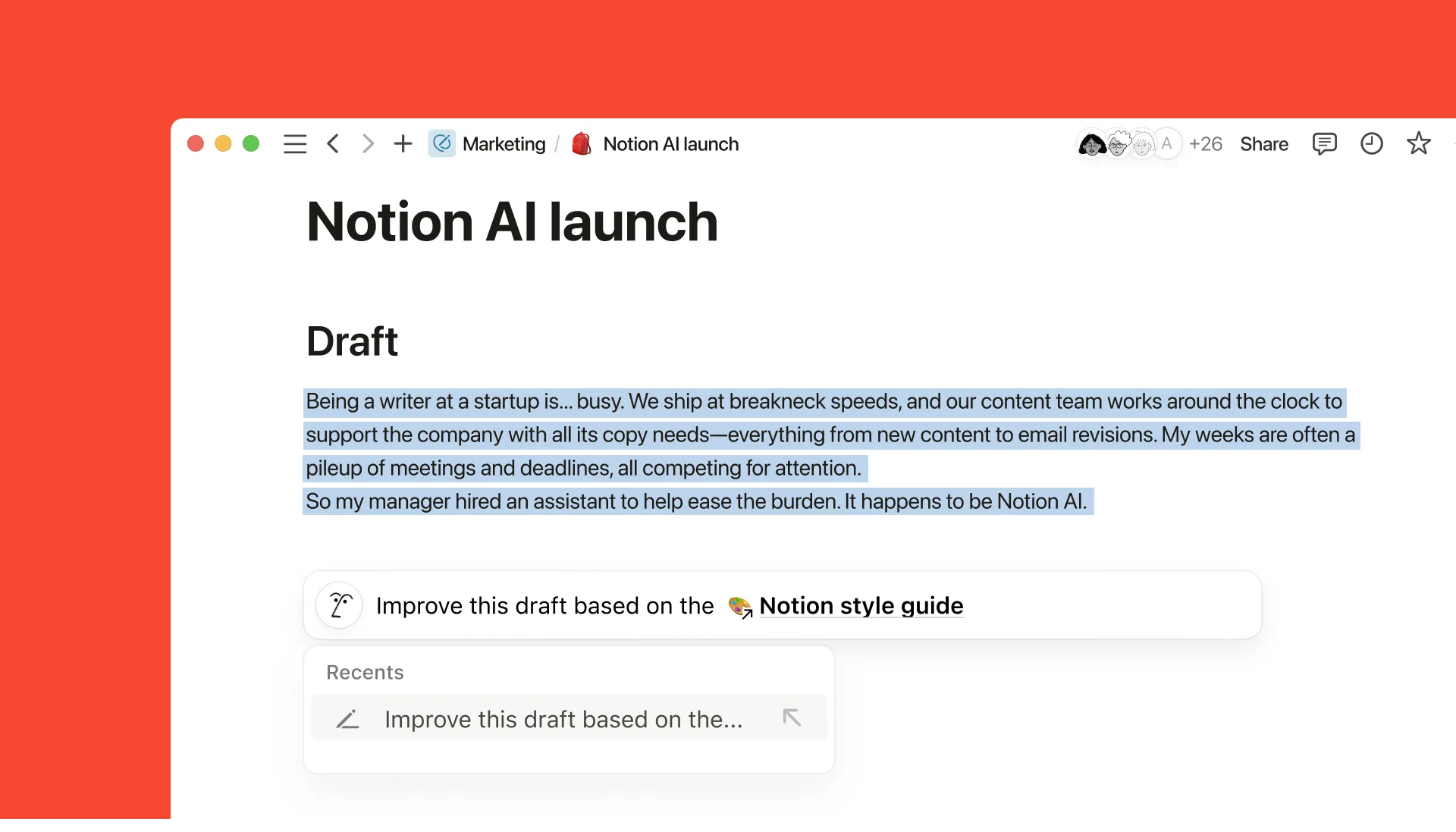 Notion AI keeps the draft and the surrounding project context in the same workspace.
The current Notion AI product page describes writing and draft generation inside pages, research mode, connected-app search, meeting notes, and agents for recurring work. It also states that core AI features are included in Business and Enterprise plans, with limited trial access on other plans (Notion AI). For procurement, that distinction matters: you are evaluating AI as part of a wider workspace decision, not simply adding another copywriting subscription.
Best for: teams that already run briefs, approvals, and knowledge work in Notion.
The catch: if your source material is scattered across Google Docs, Slack, a CMS, and a project tool, Notion AI may become another place to maintain. The context advantage only appears when the workspace is actually used.
Writesonic: best for search-led content operations
Writesonic is the more specialized pick for teams that treat search visibility as part of the writing brief. Its current homepage positions the product as an AI search growth engine, tying content, citations, and AI visibility work together (Writesonic).
That naturally makes it more relevant to an SEO editor than to a novelist. A typical workflow starts with a query or content gap, brings in sources, builds a draft around the searcher's question, and then reviews both the evidence and the language. Writesonic can speed up the mechanical parts of search-led production, but it cannot decide whether a claim is true—or whether the article deserves to exist at all.
Best for: SEO teams, growth marketers, and publishers who need a repeatable research-to-draft path.
The catch: search tooling can make a weak idea look complete. Keep original reporting, product testing, and expert review in the process. A tool that optimizes the outline is not the same as a source of first-hand knowledge.
Copy.ai: best understood as a GTM workflow platform
Copy.ai has moved well beyond the old “generate a blog post” description. The product is now framed around GTM AI, workflows, tables, actions, brand voice, and use cases across marketing, sales, and operations (Copy.ai). Content creation is only one part of that system.
It becomes more useful when writing is tied to a business process. A product update, for example, can feed into a content brief, a set of audience-specific messages, and follow-up tasks. The more often that workflow repeats, the more the platform has a chance to earn its keep.
Best for: revenue teams that need content to move with leads, campaigns, and operations.
The catch: if all you want is a thoughtful 1,500-word article, the wider GTM platform may be more machinery than you need. Compare it with Jasper only after defining whether your bottleneck is brand production or cross-functional automation.
Chinese-language workflows: Kimi, Qwen, and DeepSeek
The more useful question is not whether a product is “domestic” or “overseas,” but whether it fits the language, references, access conditions, and review habits of the people who will actually use it.
Kimi is worth trying for Chinese-first research and long-form drafting, especially when a brief contains local product names, public-account conventions, or source material that is awkward to move into another system. Qwen is a practical option when multilingual output and model choice matter. DeepSeek can be useful for teams that already use its models or want another pass on structure and reasoning. None is an automatic winner, and it would be a mistake to treat them as direct substitutes for tools such as Jasper or Grammarly. They solve different parts of the workflow.
For a Chinese content team, run the same short test across every tool: rewrite a paragraph without changing its meaning, summarize a product page, localize an English headline into natural 简体中文, and produce a cautious version of a claim that still needs verification. Then compare terminology, sentence rhythm, citation behavior, and how much cleanup the editor still has to do. “Fluent” and “ready to publish” are not the same thing.
Comparison snapshot
Plan names and usage limits change, so use this table to narrow the field, then confirm the current details on each official plan page before procurement.
| Tool | Main surface | Free or trial path | Best team fit | Main trade-off |
|---|---|---|---|---|
| ChatGPT | Chat, writing blocks, documents, connected work | Free and paid plans vary by feature and usage | Mixed content and fast iteration | Requires a strong brief and fact review |
| Claude | Long-context conversation and document work | Free and paid plans vary by usage | Editorial and voice-sensitive writing | Not a full content-ops system |
| Jasper | Marketing agents, brand voice, pipelines | Trial and paid platform plans | Recurring campaigns and governance | More setup and spend than a simple editor |
| Grammarly | Inline editor, browser, desktop, and app integrations | Free plan plus paid plans | Distributed writing and final polish | Advanced prompts and controls are plan-dependent |
| Notion AI | Pages, databases, connected workspace, agents | Trial access and paid workspace plans | Teams already living in Notion | Context is weaker outside Notion |
| Writesonic | Search research, content, AI visibility | Trial and paid plans | Search-led growth content | Automation can encourage thin thinking |
| Copy.ai | GTM workflows, tables, actions, agents | Trial and paid platform plans | Marketing, sales, and operations hand-offs | Broader than writing alone |
| Kimi / Qwen / DeepSeek | Chat and model-native workspaces | Availability and limits vary | Chinese-first or multilingual work | Check source handling, terminology, and export paths |
What changes after a week of real use?
Day one rewards novelty. By day seven, the question is simpler: did the tool actually save anyone time?
By the end of a week, a useful setup usually has a clear division of labour. One tool may handle thinking and rough drafts; another catches tone and grammar; a workspace or CMS keeps the brief and sources attached to the draft. The editor still decides what is true, what is useful, and what actually sounds like the company.
A growing pile of nearly identical drafts is a warning sign. If writers keep copying text between four tools, the team has not built a workflow; it has built a relay race. Start with the smallest combination that removes a real bottleneck, and add a specialist only when there is a clear hand-off for it to own.
For developer-facing content, pair this guide with our comparison of AI coding agents. For meeting-heavy teams that turn calls into briefs, interviews, and follow-up content, see our AI meeting assistants comparison. You can also browse Mengbi's full AI tools directory and use the product pages to move from a shortlist to a specific tool.
FAQ
What is the best AI writing tool for a content team in 2026?
There is no single best tool for every team. ChatGPT is the most flexible starting point; Claude is well suited to long-form and voice-sensitive work; Grammarly is a practical editing layer; and Jasper makes more sense when brand governance and campaign production are central to the job.
Is ChatGPT or Claude better for writing?
Choose ChatGPT when you want one broad workspace for drafts, research, and multiple formats. Choose Claude when the work depends on reading a lot of context and making careful revisions without losing the original voice. A short test with your own brief will tell you more than a generic leaderboard.
Which AI writing tool is best for brand voice?
Jasper is the most purpose-built option here for brand-governed marketing production. Grammarly can reinforce style guidance while people write in the apps they already use. Claude and ChatGPT can both follow a style sample, but the team still has to maintain the rules and review the output.
Can AI writing tools replace an editor?
No. They can speed up a first pass and catch plenty of mechanical issues, but an editor still has to check the sources, audience, structure, legal or product risk, and whether the copy sounds like something a person would actually publish. The closer a piece gets to publication, the more valuable that human pass becomes.
Are Chinese-language AI writing tools worth adding to a global stack?
Yes, especially when the work is Chinese-first, refers to local products, or comes with access and procurement constraints. Test Kimi, Qwen, and DeepSeek on the same brief as the rest of the stack, then keep the tools that genuinely reduce editing time without flattening terminology or local usage.
What should a small team pay for first?
Pay for the bottleneck, not the longest feature list. If drafting is slow, start with ChatGPT or Claude. If review is where work gets stuck, start with Grammarly. If campaigns repeat and brand rules are difficult to maintain, evaluate Jasper. And if the team already runs on Notion, try Notion AI before adding another workspace.
Method and sources
We compared the tools across five practical dimensions: drafting range, editing and voice control, context and collaboration, fit for repeatable content operations, and the clarity of each product's current plan and workflow documentation. This is an editorial comparison, not a controlled benchmark of writing quality. No vendor paid for inclusion.
Product pages and documentation reviewed:
- ChatGPT overview and writing capabilities
- Claude product overview
- Grammarly AI Writing Assistant
- Jasper
- Copy.ai
- Writesonic
- Notion AI
- Kimi
- Qwen
- DeepSeek
For market framing, we also reviewed recent independent roundups from AIUnpacking, StackFYI, and TechRadar. Official product and pricing pages remain the source of truth for changing plan limits.
Last reviewed: 21 Aug 2026.